The AI Film Checklist: 44 Checks Before You Render
The AI film checklist we work from at Hyperdream: sheets, stills, 480p drafts, one-take prompts and clean cuts, with real numbers from a film made in Claude.
By Divy Brahmbhatt13 min read
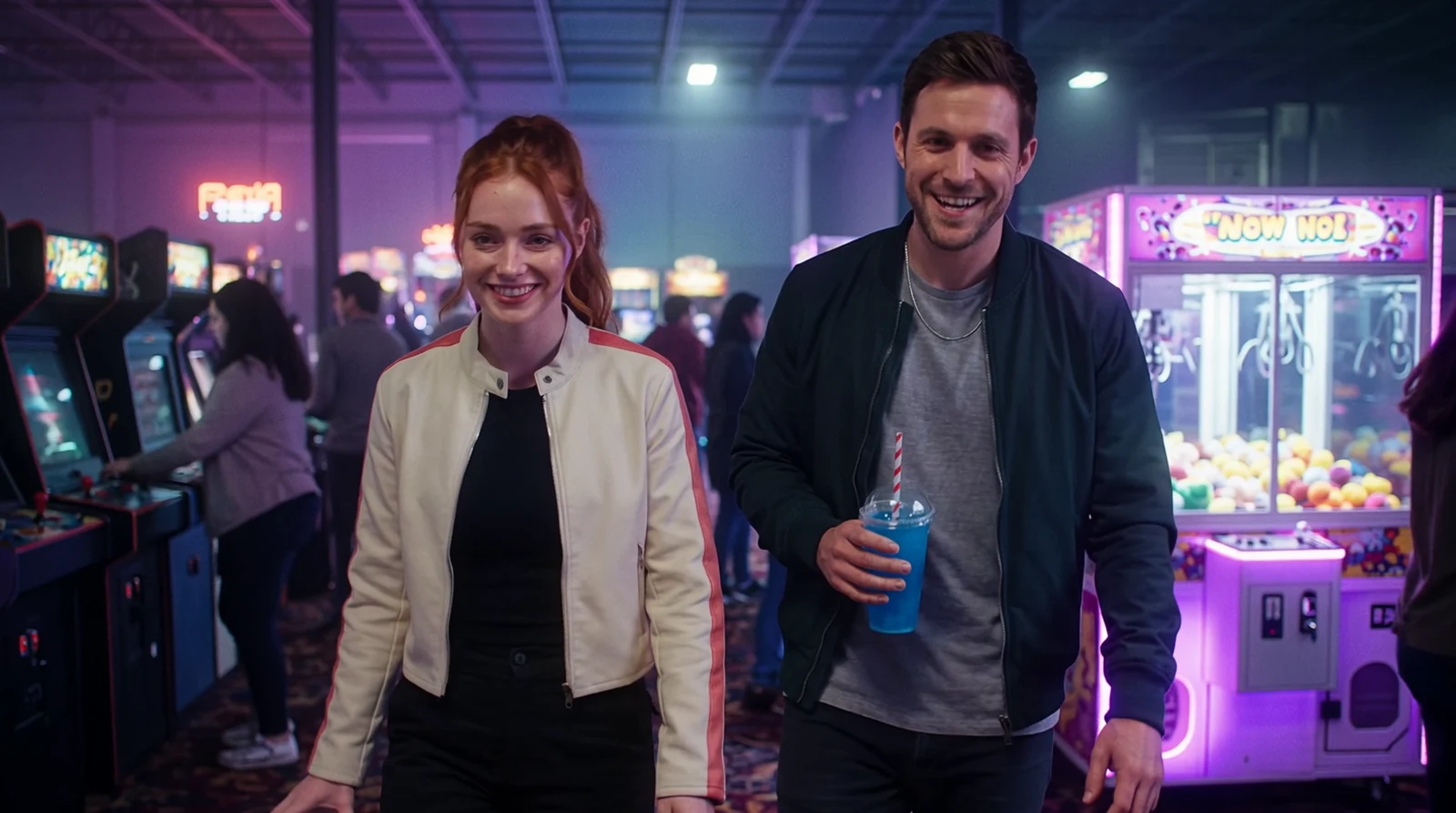
An AI film holds together when four things are fixed before the expensive render: the characters, the frame, the cut and the words. This is the checklist we work from at Hyperdream, 44 checks in seven stages. The proof comes from one film, Three Mistakes: Fun Zone, which Claude Fable 5.2 made through the Hyperdream connector with a person reviewing every shot.
Three Mistakes: Fun Zone, Part 1Three Mistakes: Fun Zone, Part 1
The video is Part 1 and covers three mistakes. This page is the full list.
Key takeaways
- Draft at 480p. A 10-second Wan 3.0 take cost 15 credits at 480p and 59 at 1080p. Our 52 drafts cost 659 credits, against about 2,600 at 1080p.
- A still edit costs 2 credits. Fix the picture before you animate it.
- Test models on your own shot. Four models on one shot cost 81 credits. Wan 3.0 won.
- One take with timed beats beats four separate clips. Our hardest scene failed as four clips and worked as one 14-second take.
- Two words a second. A 20-second take holds about 40 spoken words.
The checklist
Each check has the reason behind it and an example. Most examples come from the film above: Chloe and Jack, two friends at a go-kart arcade, talking through three mistakes.
Before you render
- Fix the film's shape before any frame is drawn. The shape decides which models you can use and how every shot is framed. Changing it later means redrawing everything. We chose 4:3 first, then checked which models make 4:3 without cropping.
- Write dialogue at about two words a second. Count the words against the clip length. More than that and the characters rush or the line gets cut off. An 18-second take with 52 words sounded rushed, so it became two takes.
- Write what happens between the scenes. If one scene ends on the track and the next starts at a photo booth, the viewer needs to see them get there. We added the end of the race and a walk through the arcade to the booth.
- Check the story logic. Models draw what you write, even when it makes no sense. A photo prints after you've been in the booth, not before. Our first draft had it the wrong way round.
- Lock one look. Pick one lens, one colour grade and one white balance, and put them in every shot. Otherwise each clip comes back warmer, cooler or more contrasty than the last. Ours: a 4:3 frame, neon violet and cyan with a warm light on faces, one neutral grade.
- Add skin notes to the look. Asked for "realistic", models often age faces with deep lines. Our look says "smooth young skin, fine pores only, no deep wrinkles".
- Test your own shot on a few models at low resolution. Listen as well as watch. One model made a lovely picture but gave both characters a British accent nobody asked for.
Sheets
A reference sheet is one picture that shows a character, a place or a prop from several sides. You attach it to a shot so the model copies it.
- Approve the cast sheets before anything else is made. Every later picture copies them. A cast change after that means remaking all of it.
- Make a sheet for every place. A new event in a new spot needs its own sheet. A later scene moved to a different bend of the track, so that bend got a sheet too.
- Check the scale of things on the place sheet. Every shot will copy it. If the photo booth is drawn as tall as the ceiling on the sheet, it will tower over the actors in every shot.
- Give any prop that must look identical its own sheet. The photo print appears in three shots. Described in words, it came back a different size and colour each time. With its own sheet, it held.
- Attach only the references that belong in the shot. A model tries to use everything you give it. Attach the kart track to a photo booth shot and karts may appear in the background.
- If the cast is wrong, change it now. It costs a sheet, not a film. We replaced both leads on day two. It cost a few 2-credit sheets.
Stills
A still is the first frame of a shot, made as a picture before any video.
- Make the still first. You can judge the framing, the faces and the props in seconds, and fix them cheaply. A still edit cost 2 credits. A draft clip cost 5 to 30.
- Remove stray duplicates of a prop. Our opening still showed Chloe holding up an empty cup, with a second cup lying on the floor. The model didn't know which one mattered and made her throw it.
- Ask how the model could misread the frame. Look at the still as someone with no script. Anything unclear will be animated wrongly.
- Leave room in the frame for the action. If something has to move, it needs space to move into. For the crash, the still showed a gap in the tyre wall two tyres wide, exactly where the kart would hit.
- For a new angle, make a new still. Move the camera, but keep everyone where they stood. A written "show it from the other side" was ignored once a reference frame was attached. A new still of the same moment worked.
- Compare the new still with the last frame of the shot before. Put them side by side. Check who is on which side, what each hand holds and what's in the background.
- Don't ask the model to invent the unseen side of a room. It will draw a different room. The side view of the crash failed until it was built from the approved crash frame.
Prompts
- If the moment fits in one clip, write it as one take with timed beats. The model makes the cuts itself and keeps the light and the clothes the same. "0-4s, low wide shot: Jack walks the corner. 4-6s, close on Chloe: she grins. 6-8s: her kart shoots past him."
- State the place in every beat. After a cut, the model may forget where it is. We repeat "at the kart hairpin, tyre wall in the foreground" in each beat.
- Say who is left and who is right, and which hand holds what. Otherwise people swap sides between shots. "Chloe on the left, Jack on the right, the slushie in his left hand."
- Describe what is there, not what isn't. Naming a thing puts it in the picture. "Nobody wears a helmet" gave us helmets. "Bare heads, her ponytail blowing in the wind" did not.
- Show speed with things you can see. "Racing side by side" looked like two parked karts. "The barriers streak past, her hair is blown straight back" looked fast.
- Give eyelines. Say who each person looks at. "Seen from Chloe's seat" made Jack talk straight into the lens. "He looks at her" fixed it.
- Put both people in frame when one speaks to the other. A person talking to nobody reads as talking to the viewer.
- State the direction of travel. "The kart enters from the left and stops on the right." Without it, the kart may reverse between shots.
- Say how many people appear. Extra people appeared at the hairpin until the prompt said "only two people are here: Jack on foot and Chloe in the one coral kart".
- Keep motion simple. A tyre that slides along the floor kept its colour. Tyres that tumbled through the air changed colour or vanished.
- Write a word you want spoken in lowercase, inside a sentence. A word in capitals can be read out letter by letter. Write "comment film", not "Comment FILM".
- If a prop won't draw the same way twice, hide it. The photo print kept changing, so in one shot we showed only its white back.
Drafts
- Draft every clip at 480p, with the final's exact prompt and references. The draft then tells you what the final will do, at about a quarter of the price.
- Review with timestamped comments. "0:06, her cup switches hands" can be fixed. "The middle feels off" can't.
- Fix one thing per retake. Change three things and you won't know which one helped. Leave approved shots alone.
- Lock a shot before you render the shot that depends on it. When the second clip starts from the end of the first, redoing the first means redoing both.
- Keep every take. A take that failed on the picture may have the best line reading, and it shows what the prompt did.
Finals
- Render at full quality only the drafts you approved. The full-size take is where the credits go.
- Use the approved draft as the guide video for its final. The final then follows the draft's timing and acting, at full sharpness.
- Check each final against its draft. Lines, props, sides and colour. One final came back with subtitles drawn into the picture and was rendered again.
Editing
- When a moment spans two clips, overlap the dialogue. End the first clip on the second clip's opening line, then cut in the middle of that line. Our walk to the photo booth runs on into the first line of the next shot, and the cut lands inside that line.
- Make the two shots clearly different in angle and size. Two shots from the same side at nearly the same size looked like a glitch. A wide shot cut to a close-up looked like a choice.
- Check props, voice and colour across each cut. The slushie has to be in the same hand, at the same level, on both sides of the cut.
- Fix a break with a still edit and one re-render. Don't rebuild the scene. Loose tyres in the wrong place were moved in the still for 2 credits, then that one shot was rendered again.
Mistake 1: Why does my character's face change in every shot?
Because the face lives in the prompt. The same description gives a different person on every render. Make one reference sheet, attach it to every shot, and prompt only what the character does.
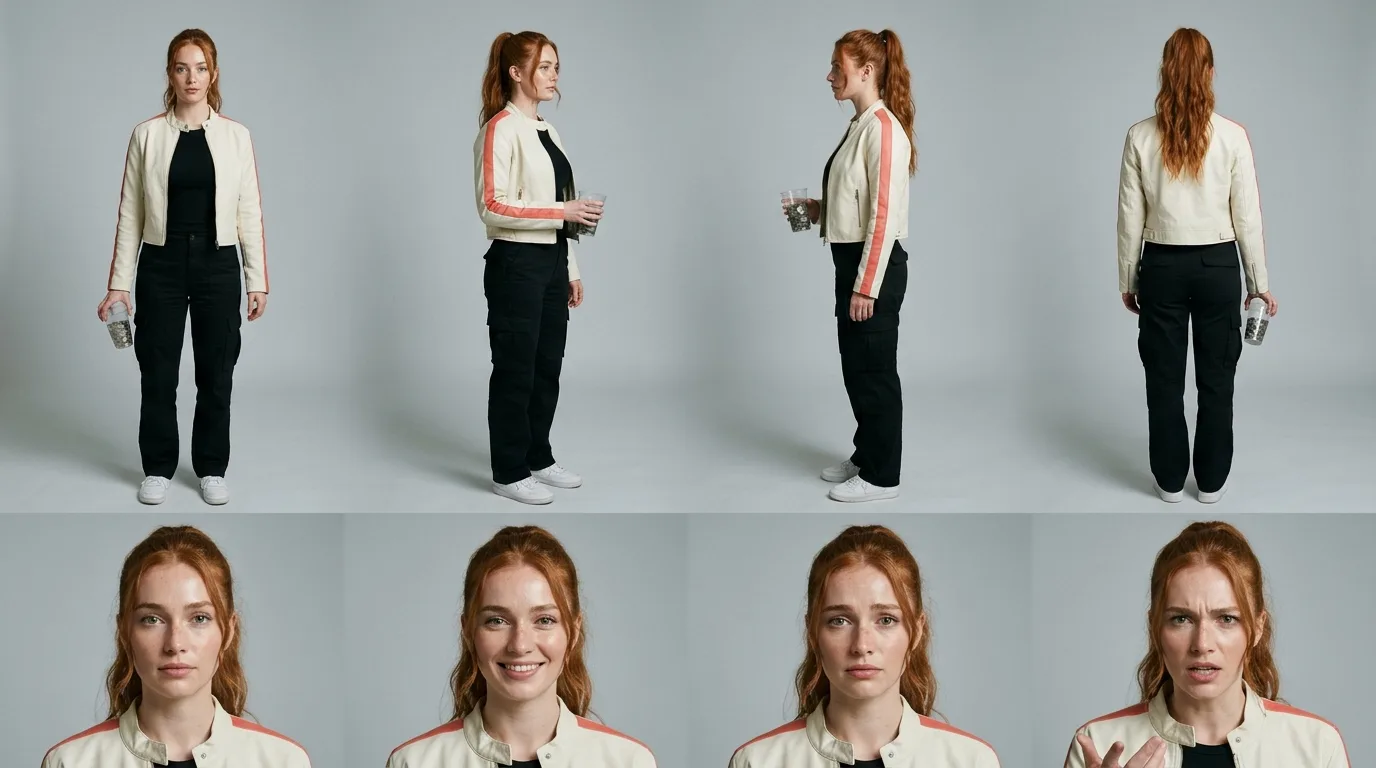 Chloe's reference sheet: four full-body views and four expressions, made before any shot
On this film the sheets came before any shot: two characters and the places. The first cast was replaced the next day, and that cost a few 2-credit sheets. Props follow the same rule. A photo print that had to look the same in three shots only held once it had a product sheet of its own.
Mistake 2: Why make a still before the video?
A wrong frame costs 2 credits to fix as a picture and a full render to fix as a clip. So the frame is approved first.
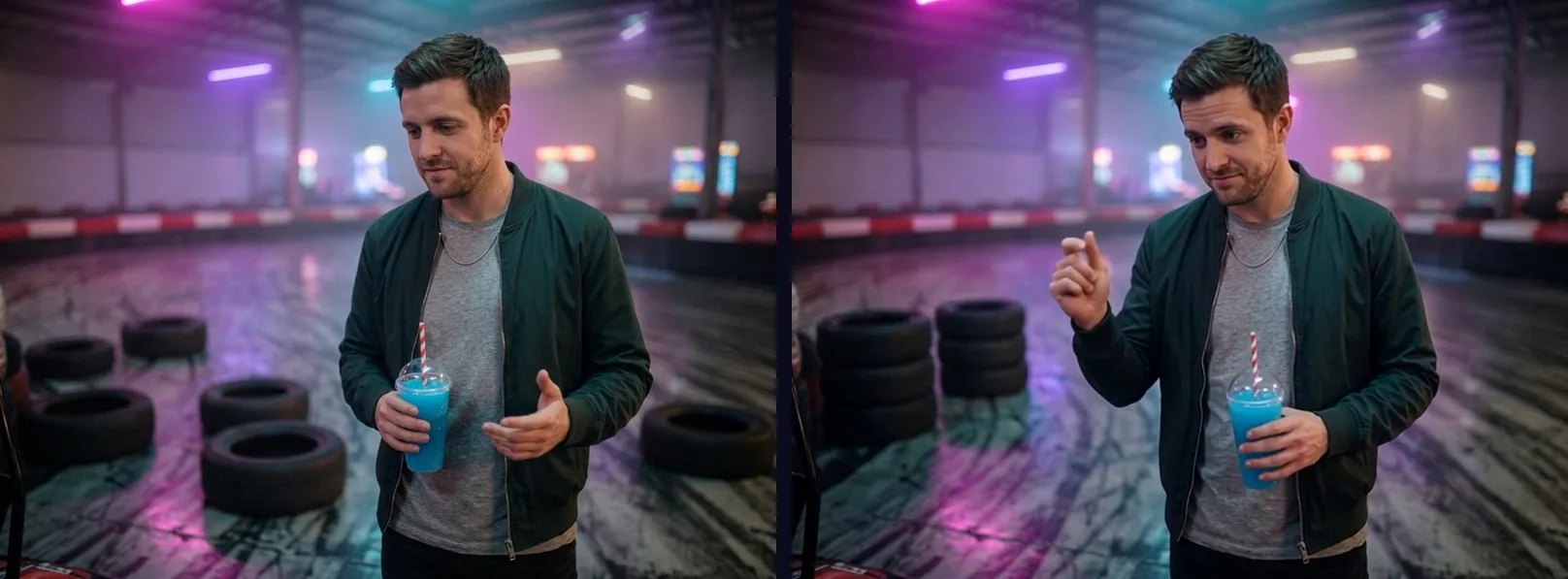 The same moment before and after a 2-credit still edit: loose tyres on the track, then stacked against the wall
The crash scene only worked after its end state was approved as a still, with clear floor left for the tyres to land on. When a shot needed a new camera angle on the same moment, the angle was made as a still edit, checked beside the last frame, and then animated. A written request for a new angle was not enough once a reference frame was attached.
Mistake 3: Why does every clip look like a different film?
Each separate clip draws the light, the room and the clothes again. Write the cuts into one prompt instead, as timed beats: 0 to 2 seconds, 2 to 6, 6 to 9.
Our hardest scene, the hairpin, failed as four separate clips. It worked as one 14-second take with four beats, which cost 21 credits to draft. All four models in our test cut cleanly on timed beats inside a single render. The storyboard began as 22 short shots and was rebuilt as 12 longer ones.
How do you pick a video model for a whole film?
Test your own shot, not a demo. We rendered the opening shot on four models for 81 credits, and a second shot on three of them for 34.
| Model | What we saw on our shots |
|---|---|
| Wan 3.0 | The best result overall on both shots |
| Gemini Omni 1.2 | The best eye contact, and it turned a prop the right way round. It gave the characters an accent we hadn't asked for |
| MiniMax H3 Max | Good |
| Kling 4.0 | The weakest of the four on this shot |
That is two shots, not a ranking. For the wider picture, see AI video models compared and the best model for dialogue.
What did Wan 3.0 do well, and where did it need care?
Wan 3.0 is Alibaba's model for long takes with sound. We used it for every shot: 480p drafts, 1080p finals, sheets as reference pictures, timed beats, and takes up to 20 seconds. Its 4:3 frame is native, not a crop.
What needed care:
- Reference pictures beat start frames. Takes made from reference pictures looked and sounded better than takes made from a start frame. We kept start frames for match cuts.
- A reference frame locks the framing. To move the camera, make a new still.
- Loose objects wander. Things that tumble can change colour or vanish. Simple motion holds.
- Naming a thing invites it. "Nobody wears a helmet" put helmets in the shot.
- Check the picture for text. One final came back with subtitles in the frame and was rendered again.
Our Wan 3.0 guide has the limits, prices and eight prompts to start from.
How much does drafting at 480p save?
About three quarters of the draft spend. Length for length, a 10-second take cost 15 credits at 480p and 59 at 1080p (checked 20 November 2026).
| Clips | Credits | |
|---|---|---|
| Drafts as we made them (51 at 480p, one at 720p) | 52 | 659 |
| The same clips at 1080p | 52 | About 2,600 |
| Saved by drafting small | About 1,900 |
The draft must use the exact prompt and references of the final, so the final holds no surprises. More habits like this are in fewer re-rolls.
How do you cut between two clips of one conversation?
Three ways, best first:
- One clip. If the moment fits, prompt it as one video with second-by-second beats.
- Overlap the dialogue. End the first clip on the second clip's opening line, then cut on the overlap. The two clips can't render at the same time, because the second depends on the first. The scene plays naturally in return. Our test pair cost 21 and 19 credits at 480p.
- Pass the tail as a guide video. On a model that takes one, give the next clip the end of the previous clip. It picks up the tone and the speaking style.
Whichever you use, change the angle and the size across the cut. Two shots from the same side read as a jump.
What about "the last frame is the first frame"?
It works two ways. As a start frame, it gives one continuous shot from the same angle, which suits a match cut. As a reference picture, it keeps the room, the light, the clothes and the positions while the camera moves. Save the frame from the clip, add it to the Library, and attach it to the next shot.
How was this film made in Claude?
Through the Model Context Protocol, the open standard that lets an assistant use another app's tools. Claude Fable 5.2 was connected to Hyperdream and did the production work from one chat:
- Started the film and wrote the script, the look, the cast and the places.
- Made the sheets and the storyboard.
- Showed the price of every render before it ran.
- Rendered every draft and final.
- Read the timestamped comments on the review link, and fixed what they named.
The person approved the look, the cast and every spend. The assistant pays for its own thinking; credits are spent only on what is made, at the same prices as in the app.
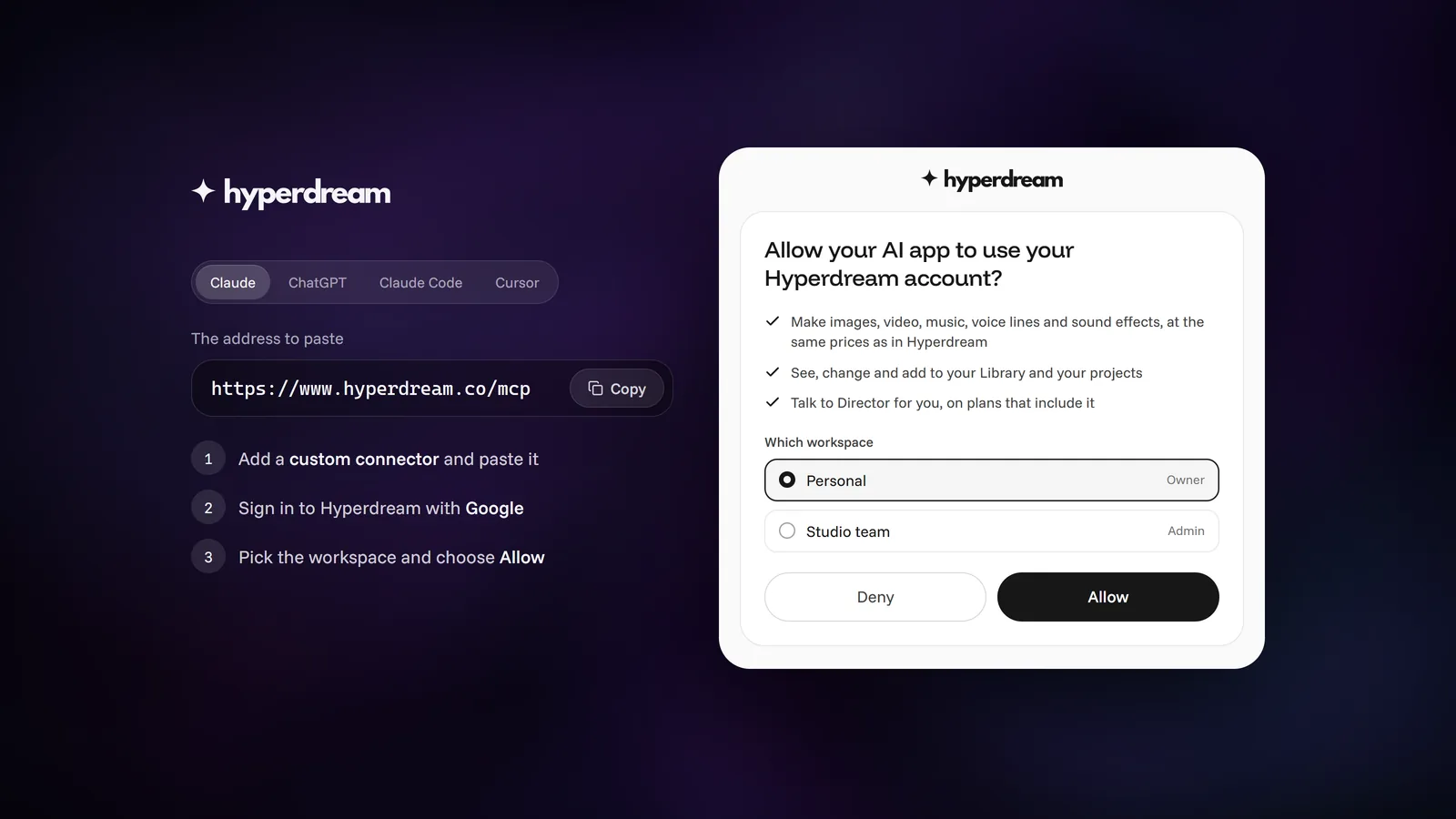
Films through the connector need the Pro plan, $99 a month with 2,000 credits, which also allows the 20-second takes this film used. Wan 3.0 itself opens on Creator, with takes up to 15 seconds (checked 20 November 2026). Set-up takes a minute: see how to connect ChatGPT, Claude or Cursor, or plans and prices.
Nine rules to start with on day one
These are the checks that pay back most when they come first.
- Write timed beats into the first storyboard.
- Plan the dialogue overlaps before rendering, so each clip already ends on the next one's first line.
- Use the approved draft as the guide for every final.
- On Wan 3.0, use reference pictures, and keep start frames for match cuts.
- Lock the end-state still of any physical action before animating it.
- Count the words. An 18-second take with 52 words sounded rushed and became two takes.
- Approve the cast and the look before any model test.
- Give key props a sheet.
- Describe what you want to see. Never name what you don't.
To make a film this way, start with how to make a movie with AI, or open the AI movie maker.
How we checked
The numbers come from the production record of Three Mistakes: Fun Zone, made on Hyperdream between 16 and 19 November 2026. Credit prices, plans and clip lengths were read from the live catalog on 20 November 2026. The 1080p figure for the drafts is worked out from the live Wan 3.0 rates, not rendered. The model notes describe two shots on one film and are not a benchmark.
Questions people ask
Because the face is described in words, and words produce a new person on every render. Make one reference sheet of the character, attach it to every shot, and prompt only what the character does.
Keep reading
Models22 November 20268 min read
Wan 3.0: Dialogue, Music and Effects in One Take
Wan 3.0 is Alibaba's video model for long takes with sound: 2 to 30 seconds, up to 9 reference pictures, 5 credits a second. Limits, costs and prompts.
Guides22 November 20267 min read
Start and End Frames: Control Where an AI Clip Lands
A start and end frame AI video is a clip made between two pictures you choose. Which models take both, three uses, what it costs, and example prompts.
Guides11 November 20266 min read
Connect ChatGPT, Claude or Cursor to Hyperdream (MCP Guide)
Step by step: add Hyperdream to ChatGPT, Claude, Claude Code or Cursor with one address and a sign-in, no API keys. Plus fixes for when sign-in doesn't finish.
More than images and video
Scripts, storyboards, motion, and characters in every version. Each one on its own, or all of them in a film.

Write a script
An idea in, a properly formatted screenplay out. Edit any line, then board it or film it.

Board a storyboard
A panel for every shot, as AI stills or quick vector frames. Export it as a pitch deck.

Make motion
Titles, explainers and moving storyboards, drawn as vector animation by the AI you pick.

Characters, places, products
One subject in many versions, or new ideas for it. Every angle, look and light.
Your first film is one sentence away.
Free to start. Pay only for what you render.