Kling O3 Pro: Holding a Character From Reference Pictures
Kling O3 Pro on Hyperdream: up to 4 reference pictures, a start and end frame, 3 to 15 second clips at 4 credits a second, and how it differs from Kling 4.0.
By Hyperdream Team7 min read
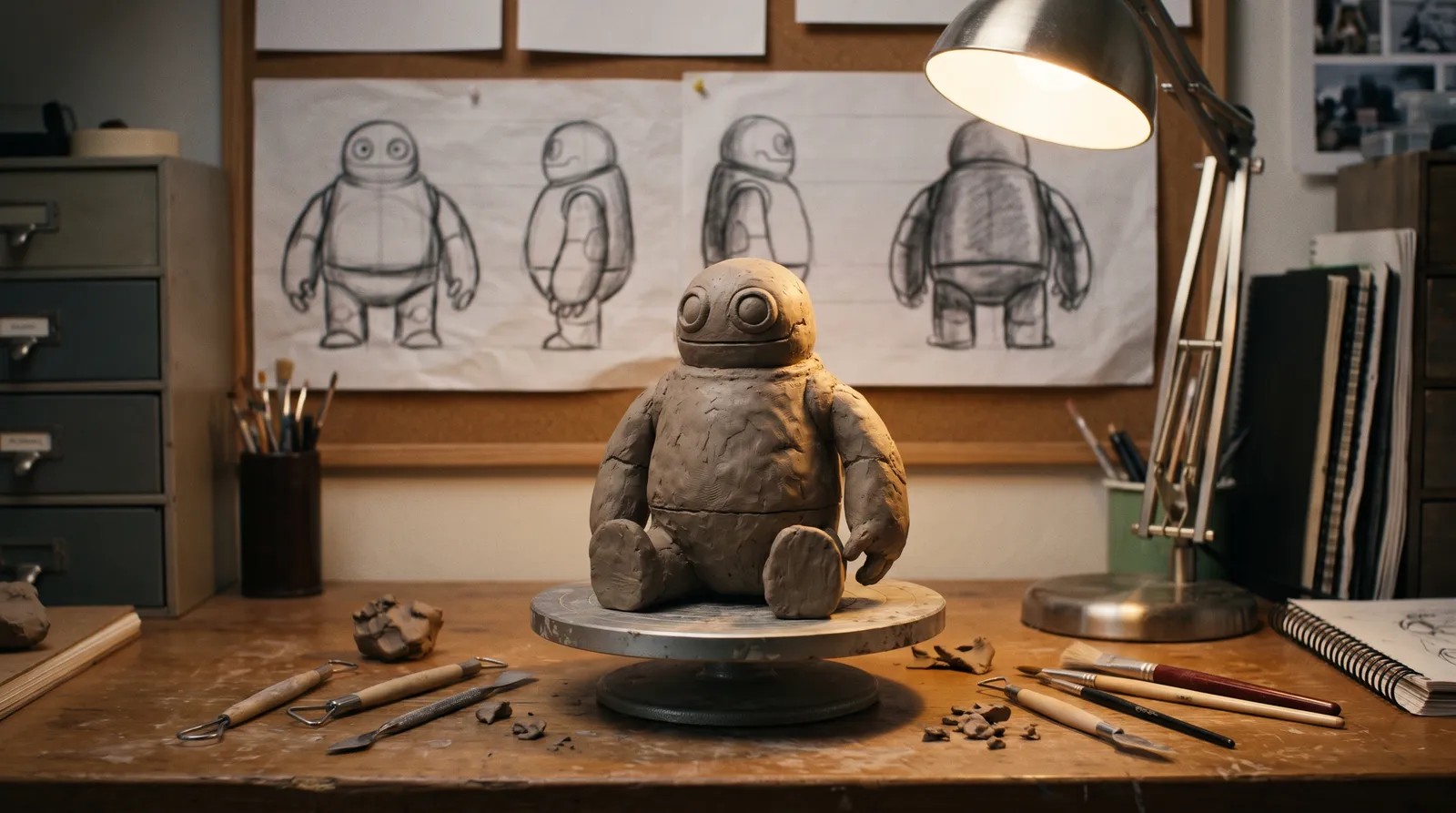
Kling O3 Pro is the Kling model to use when a character has to match reference pictures. On Hyperdream it takes up to 4 reference pictures, a start frame and an end frame, makes clips of 3 to 15 seconds with optional sound, and costs 4 credits a second on the Creator plan and up (checked 10 November 2026). Treat it as a start-frame and reference model. In our test on 10 November 2026 it turned down a text-only request at no charge, then rendered the same shot first time once two reference sheets were attached (the two-character test).
Key takeaways
- Up to 4 reference pictures a shot, plus a start frame and an end frame.
- 4 credits a second. 5 seconds is 20 credits, 10 is 40, 15 is 60.
- 3 to 15 seconds, on Creator ($49 a month), Pro and Business alike.
- Sound is a switch. Kling 4.0 always makes sound. Kling O3 Pro lets you turn it off.
- Real use: on two client films, Kling O3 Pro made 18 of 21 video takes on one and 21 of 40 renders on the other.
What is Kling O3 Pro?
It is a video model from Kuaishou, the maker of Kling. Our team's note on it is "holding a character across shots from references".
One naming point. Kling's own site does not use the name "O3" on the pages we read. The closest match is its guide to a model it calls VIDEO 3.0 Omni, dated 6 February 2026, which says "the Kling VIDEO O1 model has been upgraded to VIDEO 3.0 Omni". That guide describes the same idea, saying "the model can independently lock and maintain the features of each character or item". We have not confirmed with Kuaishou that the two names are one model. So every number below is Hyperdream's, read from our live model list.
What does it take, and what does it cost?
On Hyperdream, checked 10 November 2026:
| Kling O3 Pro | |
|---|---|
| Maker | Kuaishou |
| Lowest plan | Creator, $49 a month |
| Credits a second | 4 |
| Clip length | 3 to 15 seconds |
| Longest clip by plan | 15 seconds on Creator, Pro and Business |
| Sound | Optional |
| Reference pictures | Up to 4 |
| Start frame | Yes |
| End frame | Yes |
| Text alone | Not confirmed |
| Shapes | 16:9, 9:16, 1:1 |
| Sizes | One rate. No size choice is listed |
| Clip length | Credits |
|---|---|
| 5 seconds | 20 |
| 10 seconds | 40 |
| 15 seconds | 60 |
The price shows before you render. A render that fails or is blocked refunds its credits automatically. Sound has no default listed for this model, so look at the switch before each render.
How do you use the four reference slots?
There are two ways in.
From a start frame. You give one still and the clip begins on it. This is image-to-video. Use it when you have already framed the shot as a still.
From reference pictures. You give up to four pictures of who and what must be in the shot, and the model composes a new frame. This is reference-to-video. Use it when you want a new angle on a known character. The idea is explained in what is reference-to-video.
A character's reference sheet is one picture: four full-body views, head to toe, and four expressions. So one sheet uses one slot.
| Shot | Slot 1 | Slot 2 | Slot 3 | Slot 4 |
|---|---|---|---|---|
| One character in a place | Character sheet | Place sheet | ||
| Two characters | Sheet A | Sheet B | Place sheet | |
| A character with a product | Character sheet | Product sheet | Place sheet | |
| Two characters and a product | Sheet A | Sheet B | Product sheet | Place sheet |
Four is the limit. A scene with three characters, a place and a product does not fit. Split it into shots, or use a model with more slots.
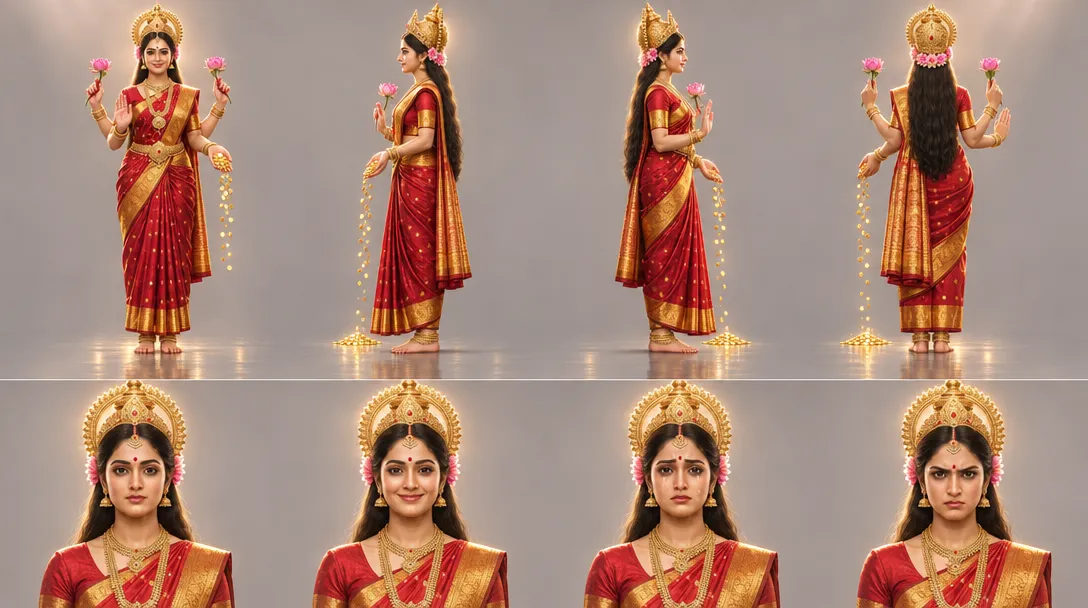 A character reference sheet made on Hyperdream: four full-body views on top, four expressions below
How should you write the prompt?
The pictures carry the look. Use the words for what moves.
- Don't describe the face again. The sheet does that. A second description in words can pull against the picture.
- Name who is who. "The carpenter planes a board at the bench. The engineer watches from the doorway."
- One action per character, and one camera move.
- Say what we hear, or switch sound off.
Three prompts written for this post:
Medium shot. The carpenter runs a hand plane along a teak board at his bench, shavings curling to the floor. Static camera. Morning light from the left window.
Wide shot. The manufacturer walks down the centre of the factory floor towards camera, looking left and right at the machines. The camera moves backwards ahead of him at his pace.
Close-up. The woman lifts her eyes from the ledger and smiles slightly. Static camera. No speech.
These are prompts to try, not test results.
Kling O3 Pro vs Kling 4.0: which one?
Both are from Kuaishou and both open on Creator. On Hyperdream they do different jobs.
| Kling O3 Pro | Kling 4.0 | |
|---|---|---|
| Built for | A character held from references | Big action and camera moves |
| Credits a second | 4 | 5 |
| Clip length | 3 to 15 s | 3 to 30 s |
| Longest clip on Creator, Pro, Business | 15, 15, 15 s | 15, 20, 30 s |
| Reference pictures | Up to 4 | None |
| Start and end frame | Yes | Yes |
| Text alone | Not confirmed | Yes |
| Sound | Optional | Always |
| Shapes | 16:9, 9:16, 1:1 | 16:9, 9:16, 1:1, 21:9 |
| Sizes | One rate | 720p, 1080p |
Where Kling 4.0 is better: longer takes, a cinema-wide 21:9 frame, a choice of 720p or 1080p, and clips from text alone. Prompts for it are in the Kling 4.0 prompt guide.
Where Kling O3 Pro is better: reference pictures, a lower price a second, and a silent render when you want one.
A film can use both: Kling O3 Pro for shots where a face must match, Kling 4.0 for the chase. How Kling 4.0 compares with Seedance is in Kling 4.0 vs Seedance 2.5.
What did it do on real films?
Our team used Kling O3 Pro on two Hindi films for MAHA-GFC in July and August 2026.
Film 1, 9 shots. 21 video takes were recorded, and 18 of them were on Kling O3 Pro: 11 from reference pictures and 7 from a start frame. Of the 9 kept shots, 8 were Kling O3 Pro takes, four of each kind. That is 2.3 takes per finished shot for the film. Every shot was rendered silent. At least one Kling O3 Pro attempt failed on 28 July and was refunded.
Film 2, 22 shots. The ledger shows 21 Kling O3 Pro renders for 429 credits: 15 from a start frame (307 credits) and 6 from reference pictures (122). The film's other 19 video renders were on two models that have since been retired.
Two cautions. These films were made at summer 2026 prices, so 429 credits is a record, not a quote for today. And they were made when each character had a single reference image. Reference sheets with eight views came later. The full record is in the MAHA-GFC case study.
Where is another model the better pick?
- More reference pictures: Gemini Omni 1.2 takes up to 10, MiniMax H3 Max and Wan 3.0 up to 9.
- A lower price with references: Gemini Omni 1.2 and MiniMax H3 Max, at 3 credits a second. MiniMax H3 Max opens on Starter.
- A spoken line: Gemini Omni 1.2 or Wan 3.0.
- A take longer than 15 seconds: Wan 3.0 or Kling 4.0, on Pro or Business.
- A 21:9 frame or a size choice: Kling 4.0.
- Kling's newest features: Kling's own app. Its VIDEO 3.0 Omni guide lists "up to 7 images/elements" in one generation, against 4 here.
All ten models are in AI video models compared.
How do you run it in Hyperdream?
- Open Create, choose Video and pick Kling O3 Pro (Creator and up).
- Set the shape and the length.
- Add a start frame, or add up to four reference pictures from the Library and mention each with
@name. - Write what moves. Check the sound switch and the price, then generate.
For a film, make the reference sheets in Director's Cast and Places steps, check each shot's still frame in Storyboard, and set Kling O3 Pro as the model per shot in Shots. The live list is on the models page.
How we checked
Hyperdream's figures (plan, credits a second, lengths, shapes, inputs, sound) were read from the live models page and its public model list on 10 November 2026. Kling's guide to VIDEO 3.0 Omni was read the same day. We could not confirm that it is the same model as the one listed here as Kling O3 Pro. A text-only request was turned down in our test the same day, at no charge. We could not confirm that one render takes a start frame and reference pictures together. The film numbers come from two project records. For the last two shots of Film 2 the take history and the ledger name different models, and we used the ledger. We ran no picture-quality test for this post. Staff can change prices and limits, so check the models page before you budget.
Questions people ask
Kling O3 Pro is a video model from Kuaishou. On Hyperdream it takes a start frame, an end frame and up to 4 reference pictures, makes clips of 3 to 15 seconds, and is the Kling model to pick when a character has to match reference pictures.
Keep reading
Guides20 November 20267 min read
Two Characters in One AI Shot Without Mixed-Up Faces
How to get multiple consistent characters in one AI video shot: a sheet each, names in the prompt, a still frame first, and the reference limits by model.
Models16 November 202610 min read
Kling 4.0 Prompt Guide: Action and Camera Moves
A Kling 4.0 prompt guide for action and camera moves: a five-part prompt structure, twenty prompts to copy, clip lengths and what each costs in credits.
Models11 November 20267 min read
Kling 4.0 vs Seedance 2.5: Which for Which Shot?
Kling 4.0 vs Seedance 2.5, shot by shot: clip length, credits a second, sound, reference pictures and plan limits, from Hyperdream's models page today.
More than images and video
Scripts, storyboards, motion, and characters in every version. Each one on its own, or all of them in a film.

Write a script
An idea in, a properly formatted screenplay out. Edit any line, then board it or film it.

Board a storyboard
A panel for every shot, as AI stills or quick vector frames. Export it as a pitch deck.

Make motion
Titles, explainers and moving storyboards, drawn as vector animation by the AI you pick.

Characters, places, products
One subject in many versions, or new ideas for it. Every angle, look and light.
Your first film is one sentence away.
Free to start. Pay only for what you render.