The 20-Second Two-Character Test for Any AI Film Tool
An AI character consistency test you can run on any tool: two characters, two 10-second shots, one scoring sheet. Our run on three models, every take shown.
By Hyperdream Team8 min read
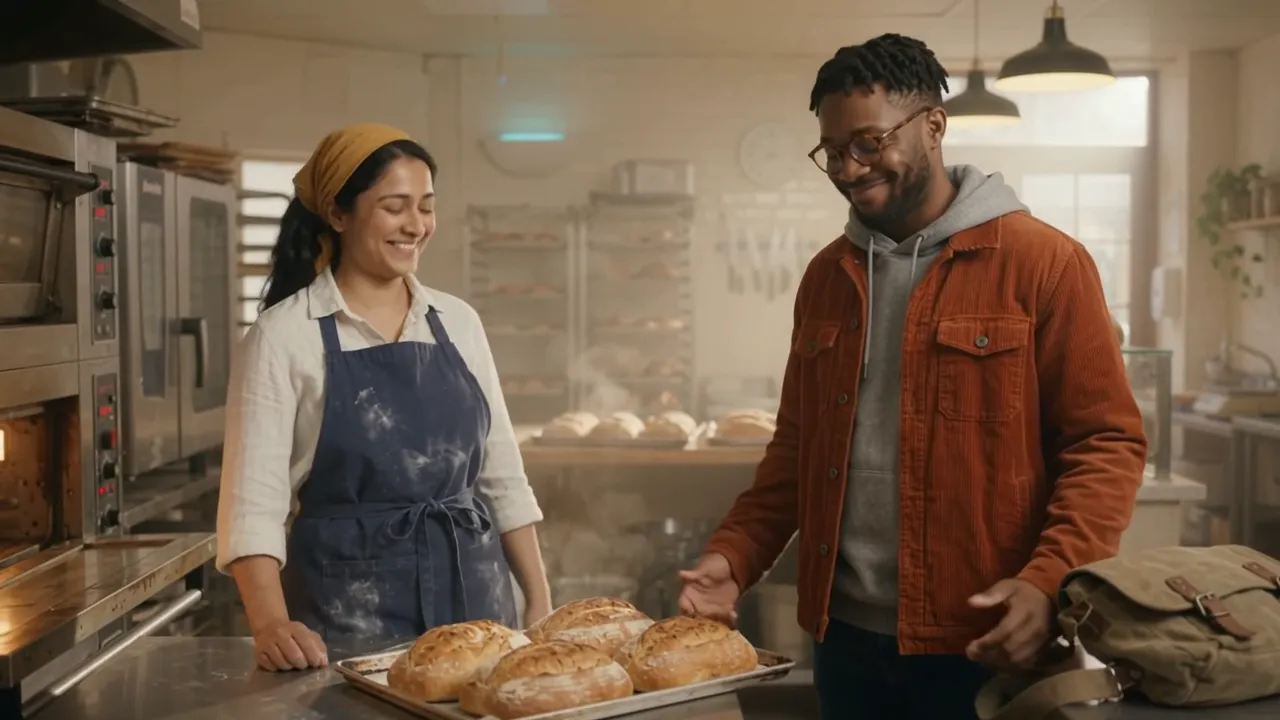
To test whether an AI film tool keeps characters consistent, make two characters who look nothing alike and render two 10-second shots with both of them in each, then score every take against the same sheet. We ran it on 10 November 2026 on three models. All three kept both faces and both outfits in every take, and all three made a different mistake with the action.
Key takeaways
- The test: 2 characters, 2 shots of 10 seconds, 1 spoken line per shot, scored on 6 points. It works on any tool.
- Our run: 2 reference sheets and 5 shots on Gemini Omni 1.2, Wan 3.0 and Kling O3 Pro. 153 credits, every render charged exactly its quoted price, none failed.
- Faces held in all 5 shots. The differences were in the action: an exit nobody asked for, a 4-second pause inside a line, and a scene staged the wrong way round.
- Speed differed by 7 times. Gemini Omni 1.2 took about 52 seconds a shot, Wan 3.0 about 6 minutes, Kling O3 Pro about 4 and a half.
- Kling O3 Pro needs a picture. With text alone it won't take the request; with the two sheets attached, it rendered first time.
Why two characters, and why 20 seconds?
One face in one shot is the easy case. Most tools pass it. A film needs two people in the same frame, talking, in more than one place. That's where faces swap, merge or drift: a beard moves to the wrong person, glasses jump across, a scarf changes colour.
Twenty seconds is two shots. That is enough to test a change of place (outside, then inside), a move (a static shot, then a push in) and a line in each shot. It is short enough to run on every tool you're considering for a few dollars.
If two characters drift in 20 seconds, a two-minute film will be worse. If they hold, you know what to test next.
What do you need before you start?
Two characters who are easy to tell apart. Give each one details that will show if they go wrong.
| Mira | Sam | |
|---|---|---|
| Who | A baker in her early thirties, South Asian | A man in his late twenties, Black |
| Hair | Shoulder-length wavy black hair, tied back with a mustard scarf | Short twisted hair, short beard |
| Clothes | Flour-dusted navy apron over a white linen shirt, olive trousers, brown leather clogs | Rust-orange corduroy jacket over a grey hoodie, blue jeans, white canvas trainers |
| Small details | A silver nose stud | Round tortoiseshell glasses, a canvas messenger bag |
Then one reference sheet per character: four full-body views from head to shoes and four expressions, in the same clothes. We made ours in Hyperdream with Nano Banana 2.1, at 2 credits and about 15 seconds each. Both came out right first time, with one miss: Mira's nose stud isn't on her sheet, so it never appears in a shot either. Check the sheet before you render anything from it.
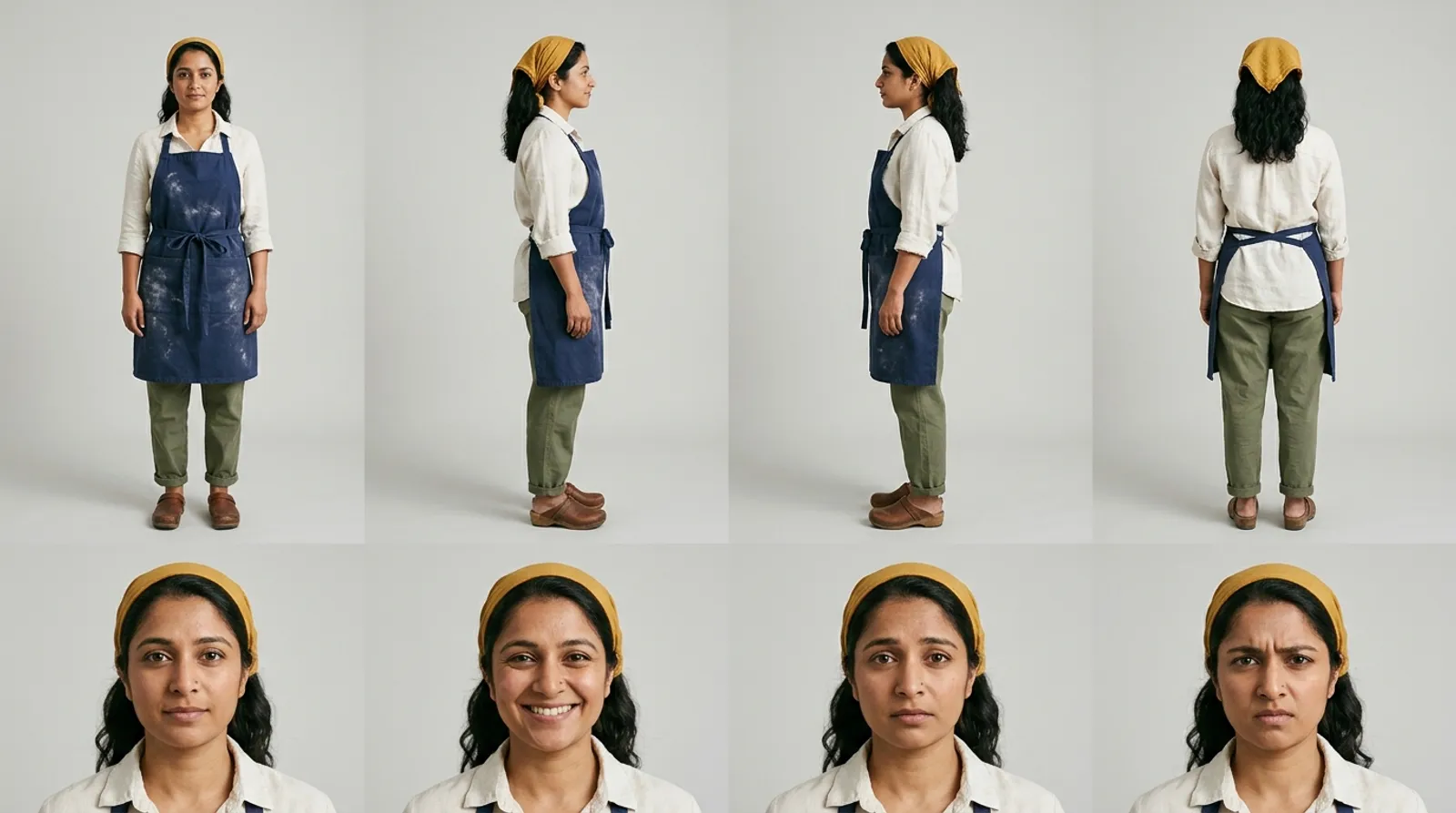 Mira's reference sheet: four full-body views and four expressions. Made with Nano Banana 2.1 for 2 credits.
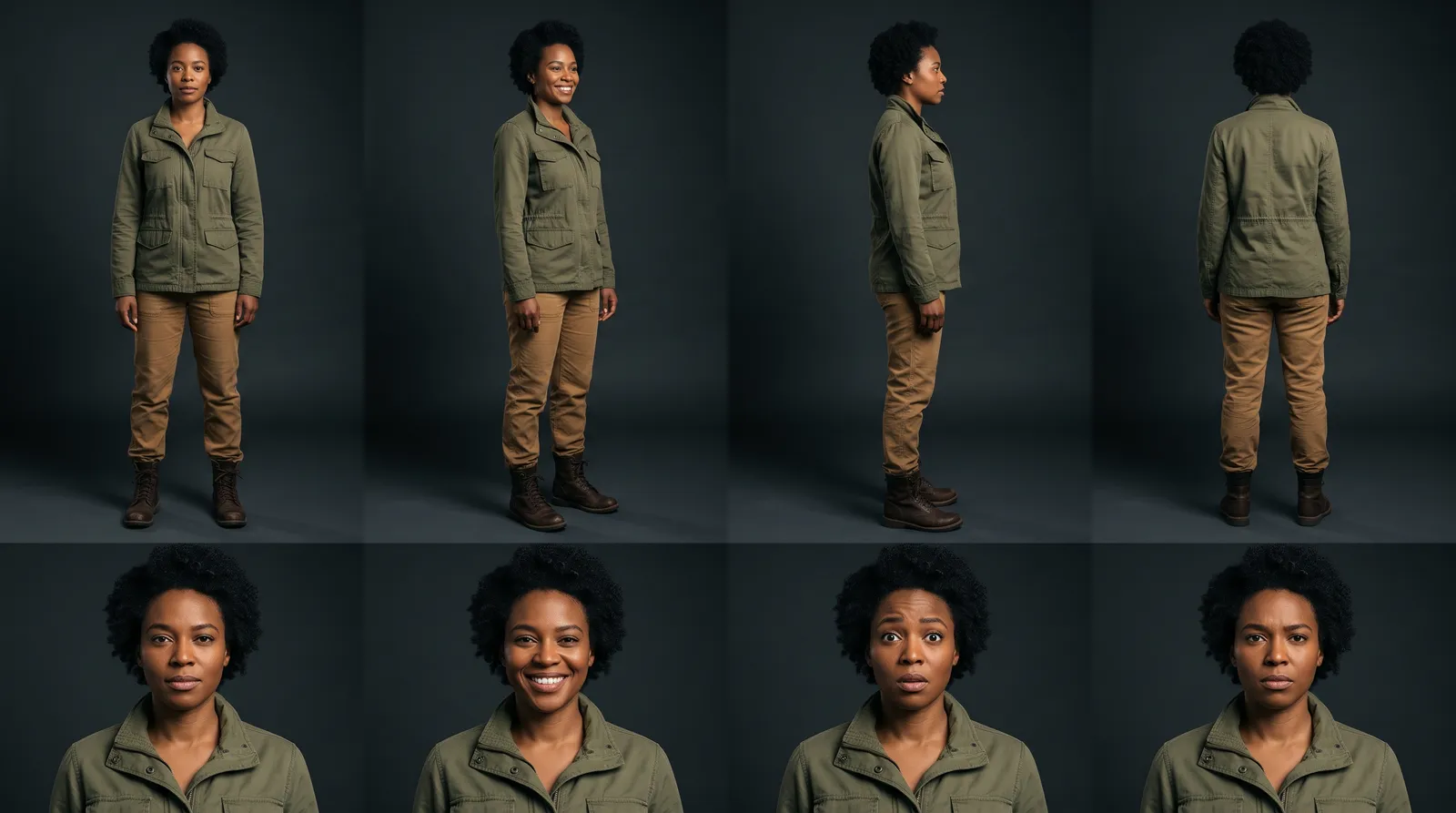
 Sam's reference sheet. The glasses, beard, jacket and bag are the details to watch in every shot.
On another tool, use whatever it has for this: a character library, an "element", a reference image. Use the same two characters on every tool you test.
What are the two shots?
Write each prompt the same way: what happens, how it's filmed, the line, the sound, then who's in it. These are the two we used.
Shot 1, outside (10 s). "Early morning outside a small corner bakery with a green door. Mira holds the bakery door open and Sam stands up from the front step. Two-shot, locked off, 35mm lens, Mira on the left. Mira, quietly, starts speaking straight away and says: 'You're early.' Sound: a door bell, a quiet street."
Shot 2, inside (10 s). "Inside the warm bakery. Mira slides a tray of bread out of the oven while Sam sets his bag on the counter. Medium two-shot, slow push in, 35mm lens. Sam, smiling, starts speaking straight away and says: 'I couldn't sleep. I could smell it from the corner.' Sound: the oven door, a tray on steel, no music."
After each, add one line per character with their description. Attach both reference sheets to both shots.
How do you score it?
Score each take on these six points. Two points for yes, one for partly, zero for no. Twelve is a clean take.
| # | Check | What to look at |
|---|---|---|
| 1 | Faces | Each face matches its own sheet, and the two never swap or blend |
| 2 | Clothes and details | Colours, the glasses, the bag, the scarf, from the first frame to the last |
| 3 | The action | What the prompt asked for happens, and nothing else does |
| 4 | Staging | Who is where: left and right, inside and outside, as written |
| 5 | The line | Every word, said once, by the right person, without a long pause |
| 6 | One continuous shot | No cut inside the clip unless you asked for one |
Watch each take twice: once for faces and clothes, once with your eyes shut for the line. Note the price and the time to render as well.
What happened when we ran it?
We ran both shots on Gemini Omni 1.2 and Wan 3.0, and shot 1 on Kling O3 Pro, all with the two sheets attached. Every take is below, including the faults. The line checks come from a speech-to-text pass on each clip.
| Shot | Model | Credits | Render time | Faces | Clothes | Action | Staging | Line | Continuous | Score |
|---|---|---|---|---|---|---|---|---|---|---|
| 1 | Gemini Omni 1.2, 720p | 24 | 52 s | 2 | 2 | 1 | 2 | 2 | 2 | 11 |
| 2 | Gemini Omni 1.2, 720p | 24 | 53 s | 2 | 2 | 2 | 2 | 2 | 2 | 12 |
| 1 | Wan 3.0, 720p | 30 | 6 min 10 s | 2 | 1 | 2 | 2 | 2 | 2 | 11 |
| 2 | Wan 3.0, 720p | 30 | 6 min 26 s | 2 | 2 | 2 | 2 | 1 | 2 | 11 |
| 1 | Kling O3 Pro, 1080p | 41 | 4 min 21 s | 2 | 2 | 2 | 0 | 2 | 2 | 10 |
Prices and render times are from this run on 10 November 2026. Kling O3 Pro has no size choice on Hyperdream and rendered at 1080p.
Gemini Omni 1.2
Both faces and both outfits match the sheets in both shots. Shot 2 is clean: the tray comes out, the bag goes on the counter and Sam says the whole line in the first five seconds. In shot 1, Sam stands up as asked and then walks out of frame to the right, which nobody asked for. It's the fastest of the three by far, at under a minute a shot.
Gemini Omni 1.2, shot 1. Sam stands, Mira says "You're early", then Sam walks out of frame.
Gemini Omni 1.2, shot 2. The clean take.
Wan 3.0
Both faces hold, and the action is what the prompt says in both shots. Two small faults. In shot 1, Sam's bag isn't visible. In shot 2, Sam says "I", stops for about four seconds and then says the rest. That pause would have to be cut around in the edit. It took about six minutes a shot.
Wan 3.0, shot 1.
Wan 3.0, shot 2. Listen for the pause after "I".
Kling O3 Pro
Faces, clothes and the line are right. The staging is not: Sam stands inside the doorway and Mira holds the door from the street, the other way round from the prompt, and he never sits on the step. Kling O3 Pro also wouldn't take the shot as text alone. The price check said it couldn't make that request and charged nothing; with the two sheets attached it rendered.
Kling O3 Pro, shot 1. Faces right, staging reversed.
What did the test not show?
It didn't show a winner. Five takes is one run, not a benchmark, and each model had one fault. It shows what to watch for on each.
It also didn't test a cut between two angles of the same scene, more than two people, or a character turning away from camera for long. Those are the next tests to run with your own cast.
We ran one more check with the same models, without sheets: two people at a kitchen table, two lines. Both Gemini Omni 1.2 and Wan 3.0 said both lines word for word, and both cut between camera angles inside the 8-second clip without being asked. If you need one unbroken shot, say "one continuous shot" in the prompt and score point 6 every time.
Gemini Omni 1.2, the kitchen lines without sheets. Both lines said; two cuts inside 8 seconds.
How do you run it in Hyperdream?
- In Director, open a new project and add Mira and Sam in Cast with the descriptions above. Make each one's Reference sheet and check every view before you go on.
- In Places, add the bakery front and the bakery inside, so both shots get their own reference too.
- In Storyboard, write the two shots and give each its line.
- In Shots, pick the model per shot. Set Look to Draft (720p) while you test.
- Render, score each take with the sheet above, and keep the best in Edit.
To try it shot by shot instead, use Create: pick Video, choose a model that takes reference pictures, attach both sheets and paste the prompt. Gemini Omni 1.2, Wan 3.0 and Kling O3 Pro need the Creator plan or higher; the sheets can be made on any plan. Prices are on the pricing page and models page.
For what a finished film costs once the test is done, see the cost of an approved AI film. For a real project with seven characters, see the BCVPL case study. Why sheets work at all is in character consistency in AI video, and the AI character generator page covers making them.
How we checked
We ran the test on www.hyperdream.co on 10 November 2026, on a staff account on the Pro plan, through the same price check and render requests that Create uses. Fifteen renders in all (this test, the kitchen check and six example prompts for other guides) cost 315 credits; each was charged exactly what it was quoted and none failed. This post shows the 7 that belong to it. Render times are from the request log. The spoken lines were checked with a speech-to-text tool, and cuts with scene detection; we did not check frame by frame which mouth speaks each line. The scores are ours, from watching each take. The clips here are re-encoded to a smaller file; the originals are 720p, and 1080p for Kling O3 Pro.
Questions people ask
Make two characters who look nothing alike, then render two 10-second shots with both of them in each: one outside, one inside, each with one spoken line. Score faces, clothes, the action, the line and any cut you didn't ask for. Two people in one frame is the hard case; one face is easy.
Keep reading
Guides10 November 20267 min read
How to Make a Character Reference Sheet for AI Video
A character reference sheet for AI video shows one character in four full-body views and four expressions. How to make one, check it and use it in every shot.
Comparisons12 November 20268 min read
Best AI Tools for Consistent Characters in 2026
The best AI tool for consistent characters depends on how it stores the character. Seven tools compared from their own pages, checked 10 November 2026.
Guides10 November 20268 min read
A 3-Minute AI Short Film With Two Characters: Full Plan
A full plan for a 3 minute AI short film with the same two characters in every scene: 30 shots, a model for each, a credit budget and the hours it takes.
More than images and video
Scripts, storyboards, motion, and characters in every version. Each one on its own, or all of them in a film.

Write a script
An idea in, a properly formatted screenplay out. Edit any line, then board it or film it.

Board a storyboard
A panel for every shot, as AI stills or quick vector frames. Export it as a pitch deck.

Make motion
Titles, explainers and moving storyboards, drawn as vector animation by the AI you pick.

Characters, places, products
One subject in many versions, or new ideas for it. Every angle, look and light.
Your first film is one sentence away.
Free to start. Pay only for what you render.