Best AI Tools for Consistent Characters in 2026
The best AI tool for consistent characters depends on how it stores the character. Seven tools compared from their own pages, checked 10 November 2026.
By Divy Brahmbhatt8 min read
The best AI tool for consistent characters is the one whose way of storing a character fits your job: a trained identity for a real person, a saved element for a clip, or a reference sheet inside a film project. We read seven tools' own pages on 10 November 2026. We have not run the same test on all seven, so this page compares methods and prices and gives no scores.
Key takeaways
- Three methods: train on many photos (Higgsfield Soul ID, 20 to 80), save an element (Kling, LTX Studio, Google Flow, OpenArt, Runway), or make a reference sheet per character (Hyperdream).
- Lowest prices we could read: OpenArt $14 a month, Runway $15, LTX Studio $35 for the plan that lists Elements.
- Hyperdream costs more: $29 to start, $99 for the film agent. Its models take up to 10 reference pictures a shot.
- Real numbers: our client films took 1.8 to 4.4 video renders per finished shot, with references attached.
- Not tested: every "our test" cell below. Run the 20-second test yourself before you commit.
How do AI tools keep a character the same?
A video model has no memory between clips. Describe "a woman in a red coat" twice and you get two women. Every tool here solves that by showing the model a picture. They differ in what the picture is.
- A trained identity. You upload many photos of one person and the tool builds a model of that face. It suits a real person.
- A saved element. You save one or a few images as a named character and attach it to each clip.
- A reference sheet in a film project. One image shows the character from every side. The project gives it to every shot the character is in.
The wider problem is covered in how to keep characters consistent in AI video.
How do the seven tools compare?
| Tool | What the character is | What its own page says | Lowest listed price | Our test |
|---|---|---|---|---|
| Higgsfield | Soul ID (trained) and Elements (saved) | "trains an identity from 20 to 80 photos of one person" | "From $15/mo", per its own post of 9 November 2026 | Not tested |
| Kling | Elements | An element "can include up to 4 reference images" | Not readable today. Standard $10, as listed by eesel.ai on 5 June 2026 | Not tested |
| Google Flow | Ingredients | "consistently use the same images for your character and key objects from one clip to the next" | No US price shown. 1,000 Flow credits a month on Google AI Pro | Not tested |
| OpenArt | Characters | "Build a Character using reference images or text brief" | Starter, $14 a month | Not tested |
| LTX Studio | Elements | "Maintain consistency across scenes throughout your project with AI Characters, Objects, Locations" | Standard, $35 a month | Not tested |
| Runway | Reference images | "Infinite character consistency with a single reference image" | Standard, $15 a month | Not tested |
| Hyperdream | Reference sheet | Four full-body views and four expressions per character | Starter, $29 a month. Director on Pro, $99 | Three client films, numbers below |
Sources are linked in each section. "Not tested" means what it says: we have not run these tools on a shared brief, so nothing here ranks their output.
What does each tool offer, and when is it the better pick?
Higgsfield
Higgsfield's own comparison (9 November 2026) says "Higgsfield Soul ID trains an identity from 20 to 80 photos of one person and costs 25 credits to create". It also describes Elements: saved characters, locations and props, each with an @ tag. Its pricing page showed us no prices.
Better pick when the character is a real person and you have dozens of photos of them. Hyperdream trains nothing from a photo set.
Kling
Kling's Elements guide says an element "can include up to 4 reference images (1 main reference image + 3 supplementary reference images)" and that "Creating an element is free." With no video in the input, it says "you can upload up to 7" images or elements in one generation.
Better pick when you want Kling's own models with its newest features. Kuaishou makes them, and a maker's own app may get new features first.
Google Flow
Flow's help page says Ingredients let you "consistently use the same images for your character and key objects from one clip to the next." It gives no maximum. Flow runs on credits that come with Google's AI plans: 200 a month on Plus, 1,000 on Pro, and 10,000 or 25,000 on Ultra.
Better pick when you want Google's own video models in Google's own tool.
OpenArt
OpenArt says: "Build a Character using reference images or text brief, save it to your OpenArt library." Its pricing page lists Starter at $14 a month with 4,000 credits, "Access to Director" and "Up to ~13 consistent characters".
Better pick when price matters most. At $14 it was the lowest price we read on a tool's own pricing page, and that plan lists a film agent. Our fuller comparison is OpenArt Director vs Hyperdream.
LTX Studio
LTX Studio describes Elements as a way to "Maintain consistency across scenes throughout your project with AI Characters, Objects, Locations, and Other components." Its pricing page lists "Save and create consistent Elements" on the Standard plan at $35 a month. Its site would not load for us directly, so we read it through a text reader.
Better pick when you work storyboard-first and want saved characters, objects and locations for $35. See Hyperdream vs LTX Studio.
Runway
Runway's Gen-4 page says the model offers "Infinite character consistency with a single reference image." Its pricing page lists Standard at $15 a month with 625 credits. Its help centre blocked our reader, so we could not confirm how many reference images a shot takes.
One name to watch. Runway's product called Characters is something else: "Real-time conversational video agents, made from a single image." It is a live talking avatar, not a way to hold a film character across shots.
Better pick when you want Runway's own models and a long public record.
Hyperdream
Each character gets one reference sheet: four full-body views, head to toe, and four expressions. Places and products get sheets too. In a Director film, the sheet goes to every shot the character is in.
How many reference pictures a shot takes depends on the video model (checked on /models, 10 November 2026): Gemini Omni 1.2 up to 10, MiniMax H3 Max and Wan 3.0 up to 9, Kling O3 Pro and both Seedance models up to 4.
Better pick when you are making a whole film with a cast, places and a client to approve them. Weaker when you need a low price, a trained likeness of a real person, or a long list of independent reviews. We have few.
What do we know from real films?
This is the one row with test data, and it is from client work, not a lab.
- A 30-second ad with a cast of 11. We made 16 character sheets. Every video render but one was given 1 to 7 reference pictures. It took 4.4 renders per finished shot, most of them cheap 720p tries.
- A mantra video with one figure. Nine sheets were rejected before one was approved. Every video render was given the sheet. It took 2.1 renders per finished shot.
- A 22-shot documentary with 4 characters. 24 of its 40 video renders were made from reference pictures. It took 1.8 renders per finished shot.
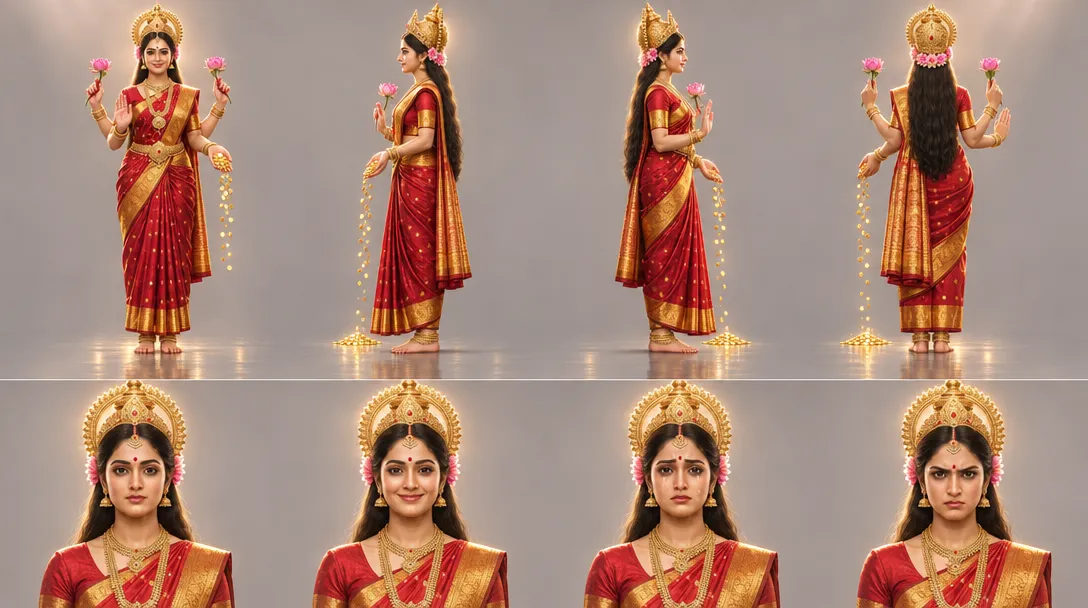 A character reference sheet made on Hyperdream: four full-body views on top, four expressions below
So a sheet does not end re-rolls. It makes the re-rolls about the shot, not about who is in it. How to make a character reference sheet covers the method, which works in any tool that takes reference images.
How should you test a tool yourself?
When we asked ChatGPT on 10 November 2026 what to do after characters kept changing in three tools, it suggested a 20-second, two-character consistency test. It is a good filter, because two characters in one film is where tools fail.
The short version:
- Write two characters who look different: age, build, hair, costume.
- Plan about 20 seconds of film in a few short shots: each character alone, both together, and a close-up.
- Make them in the tool, on free credits or the lowest plan.
- Keep every take. Count the takes per shot.
- Check four things: the face, the costume, whether the two stay apart, and whether the close-up is still the same person.
The full brief and scoring sheet are in the 20-second two-character test.
Be wary of percentages. One tool's landing page claims "up to 98% consistency" (FinalBit, read 10 November 2026). A number like that means nothing without the brief, the takes and the files behind it.
How do you do it in Hyperdream?
For one character, on any plan. In Create, pick Image, set "What is it" to Character and describe the sheet. Save it to your Library, add it as a reference in later prompts and mention it with @name. The AI character generator page shows the flow.
For a film, on Pro and up.
- Open Director and describe the film.
- In Cast, add each character, add any "Pictures to draw from", and make the reference sheet.
- Approve the sheet. Stop changing it.
- In Places, do the same for each location and product.
- In Storyboard, check the still frame of each shot before any video.
- In Shots, render on a model that takes reference pictures.
For a series, start the next episode with the earlier film or its characters as references.
How we checked
All seven tools' pages were read on 10 November 2026, and each quote is from the page linked beside it. Kling's and Higgsfield's pricing pages showed no prices to us. Kling's figure is from a third party dated 5 June 2026 and Higgsfield's from its own blog post. Google showed no US prices. LTX Studio was read through a text reader. Runway's help centre was blocked. We ran none of the other six tools for this post, so every "our test" cell says "not tested". Hyperdream's numbers come from three project records.
Questions people ask
It depends on the character. For a real person with many photos, Higgsfield's Soul ID trains on 20 to 80 photos. For a low price with a film agent, OpenArt starts at $14 a month. For a cast held across a whole film, Hyperdream gives each character a reference sheet. Checked 10 November 2026.
Keep reading
Guides10 November 20267 min read
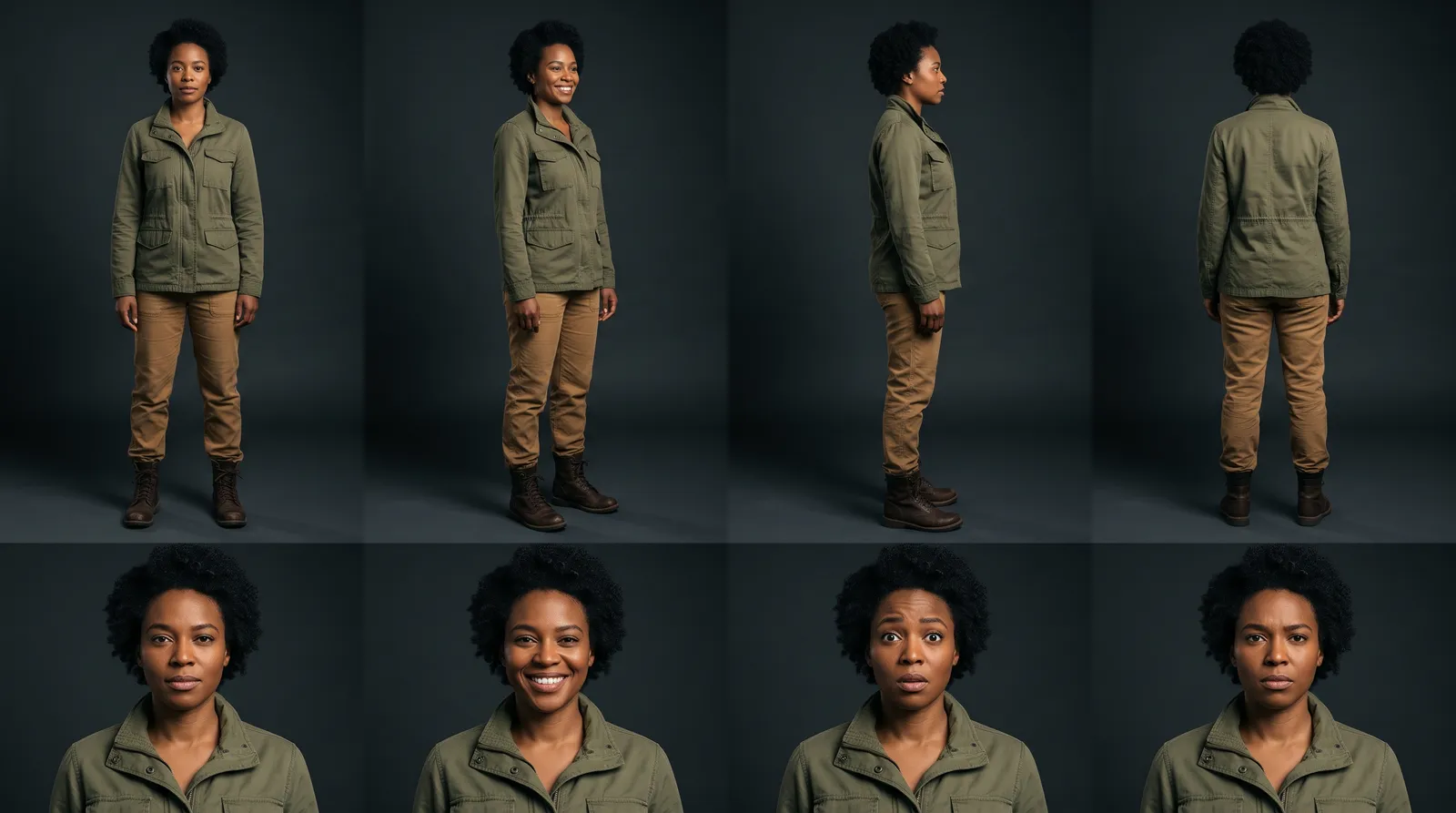
How to Make a Character Reference Sheet for AI Video
A character reference sheet for AI video shows one character in four full-body views and four expressions. How to make one, check it and use it in every shot.

Guides10 November 20268 min read
The 20-Second Two-Character Test for Any AI Film Tool
An AI character consistency test you can run on any tool: two characters, two 10-second shots, one scoring sheet. Our run on three models, every take shown.
Comparisons11 November 20269 min read
AI Director Agents Compared: Who Plans the Whole Film?
Five AI director tools compared: OpenArt Director, Invideo Agent Two, Pixo, Topview and Hyperdream Director. What each plans, makes and asks before spending.
More than images and video
Scripts, storyboards, motion, and characters in every version. Each one on its own, or all of them in a film.

Write a script
An idea in, a properly formatted screenplay out. Edit any line, then board it or film it.

Board a storyboard
A panel for every shot, as AI stills or quick vector frames. Export it as a pitch deck.

Make motion
Titles, explainers and moving storyboards, drawn as vector animation by the AI you pick.

Characters, places, products
One subject in many versions, or new ideas for it. Every angle, look and light.
Your first film is one sentence away.
Free to start. Pay only for what you render.