Pitch a Film Before You Render It: The Storyboard Deck
A storyboard pitch deck shows a client the look, cast, places and every shot before any video is made. What goes in it, what it costs, and how to send it.
By Hyperdream Team7 min read
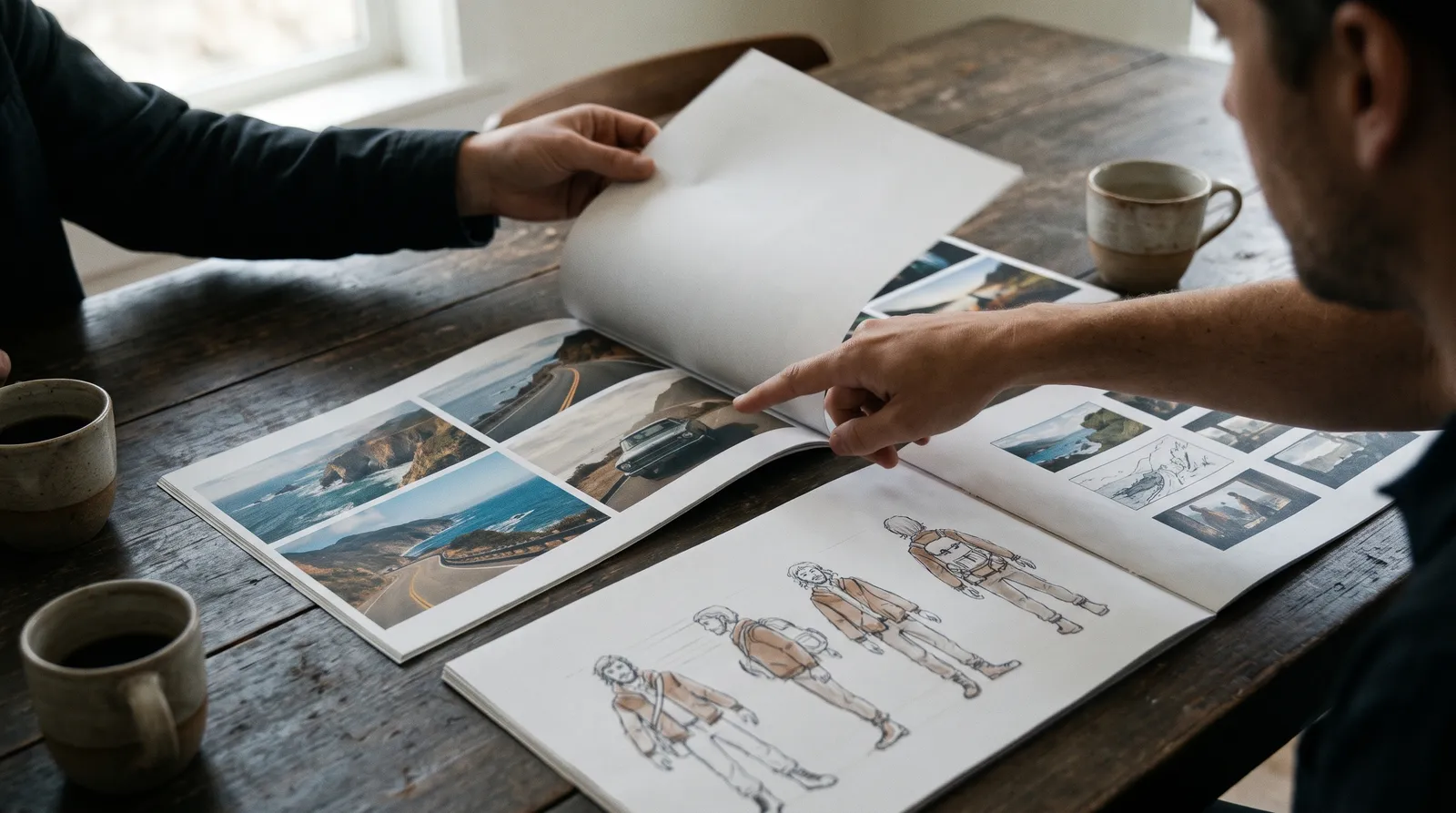
A storyboard pitch deck shows a client the whole film as slides before any video is made: the look, the cast, the places and a frame for every shot. On Hyperdream it is a PDF built from the film's own plan. Saving it costs no credits, and the frames in it cost 1 to 5 credits each (checked 10 November 2026).
Key takeaways
- Four sections: Look, Cast, Places and Storyboard, with the Script as an optional fifth.
- Frames are cheap. A vector frame is 1 credit. An AI still is 1 to 5. A 30-shot board is 30 to 150 credits.
- Video is where the money goes. On one client ad, the pictures cost 171 credits and the video 688.
- It needs Pro: $99 a month with 2,000 credits, or a Pro seat on a Team plan at $119.
- Send the PDF to present. Send a review link to get sign-off.
Why pitch from a storyboard?
Because a changed frame costs a few credits and a changed shot costs tens.
On a 30-second ad we made for Shilp Group in November 2026, the first stills showed a bungalow and cramped rooms. The client builds apartments. That was caught at the still stage and fixed with pictures of real buildings, before any video was rendered. On a mantra video the same month, the first three rounds of character designs were turned down at the sheet stage. All twelve sheets cost 45 credits, less than one 4K shot at 72.
A deck puts that decision in front of the client early. They see who is in the film, where it happens and what each shot shows. They say yes or no while a no is still cheap.
What is in the deck?
The deck is A4 landscape. Each section can be switched on or off before you save it.
| Slide | What it shows |
|---|---|
| Cover | The first frame, the title and logline, the client's name, the number of shots, the running time and the shape |
| Look | The look's name and notes, the palette, lens and grain, and up to four frames |
| Cast | Two characters a slide: each one's reference sheet, name, role, description and how they sound |
| Places | Two places a slide, each with its reference sheet and description |
| Storyboard | Every shot's frame with its number, description, shot size, camera move, length and model, and the line if someone speaks |
| Script | The screenplay, off by default |
The storyboard slides follow the film's shape. A wide film gets six frames a slide. A tall 9:16 film gets five. A square one gets eight. No frame is cropped.
So a 30-shot wide film with four characters and three places comes to 11 slides: a cover, one for the look, two for the cast, two for places and five of storyboard.
What does a real one hold?
Take the Shilp ad. We did not save its deck to publish, so this is what the project record says its deck holds.
- Look: "Everyday Diwali Glow". Natural side light and warm daylight, in cream, timber brown, muted sage, marigold and rust, with fine grain.
- Cast: 11 characters, five of them with a line. At two a slide, that is six slides.
- Places: five, a garden and four homes.
- Storyboard: 8 shots in 9:16. At five a slide, that is two slides.
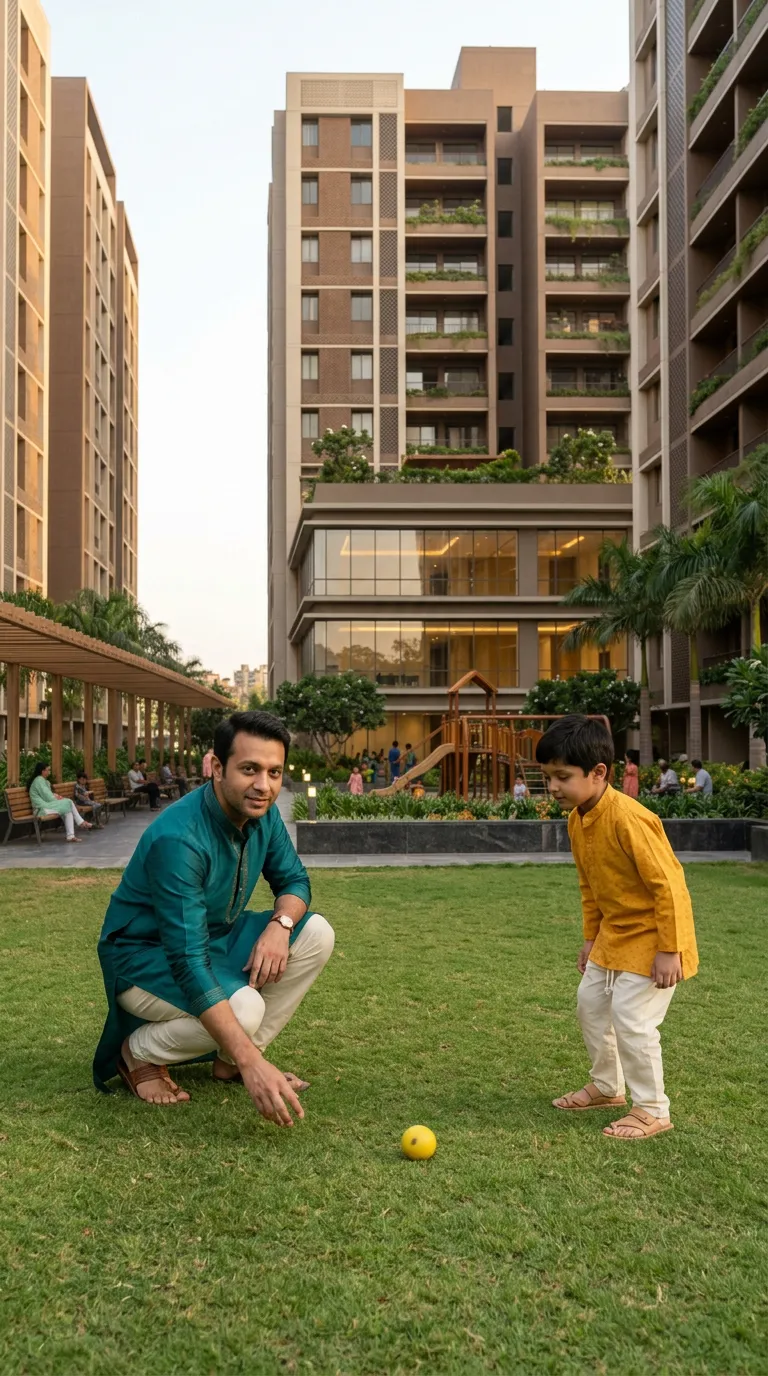 Scene 1 frame: father and son in the garden.
That frame is the first of the eight. On the storyboard slide it sits beside its description, its length of 5 seconds and the father's line. The full numbers are in the Shilp case study.
What does a deck cost in credits?
Saving the deck is free. You pay for the pictures that go in it.
From the live rates on 10 November 2026:
| Picture | Price |
|---|---|
| A vector frame | 1 credit |
| An AI still | The image model's price: 1 to 5 credits. Nano Banana 2.1 is 2 |
| A reference sheet | A few credits. Twelve cost 45 in one project |
Planning the shots uses the Director allowance that comes with Pro, not credits.
From two real projects, November 2026:
| Project | Pictures made before video | Credits | Video that followed |
|---|---|---|---|
| Shilp ad, 8 shots | 86: 16 character sheets, 32 place, reference and logo pictures, 38 frames and look stills | 171 | 688 credits |
| Mantra video, 14 shots boarded | 38: 12 character sheets, 6 places, 20 shot frames | 109 | 1,070 credits |
Both counts include the tries that were thrown away. Pictures were 18% of the ad's 941 credits. If a pitch is turned down at the deck, that share is all you have spent.
For the cheapest possible pitch, draw the board as vector frames. Thirty shots are 30 credits. Vector frames show framing and action, not the final look, so pair them with one or two AI stills on the Look slide.
How do you make the deck in Hyperdream?
There are two routes. Both need the Pro plan or higher.
From a storyboard, in Create. This is the quick one, for a pitch that starts from an idea.
- Open Create and pick Storyboard. Type the idea or paste a script, and choose the shape.
- Pick the panel style: vector frames, or AI stills on the image model you choose.
- Read the cost, then draw the panels.
- Press "Pitch deck PDF".
From a film, in Director. This is the full one, with a sheet for every character and place.
- Open Director, type the idea and add the client's brief and references.
- Work through Script, Look, Cast and Places. Approve each reference sheet.
- In Storyboard, get a still frame for every shot.
- Open Export on the Edit step and choose "Pitch deck (PDF)". The shots do not need to be rendered. The deck uses each shot's still.
In the deck, tick the sections you want and press "Save as PDF". It uses the browser's own print dialog, so choose "Save as PDF" as the printer.
The storyboard tools are on /ai-storyboard-generator.
How do you send it and get sign-off?
The deck page opens only for people signed in to the film's workspace. So send the saved PDF, not the address of the page.
A PDF is good for presenting. It is poor for collecting notes. For that, use "Share for review" on the film. It makes a link the client opens with no account. They pin a comment to a spot on a frame, then approve it or send it back. You are notified of each decision, and all of them are listed under Projects > Reviews. Client review and approval links covers the options.
A simple order that works:
- Present the PDF on a call.
- Send the review link the same day.
- Render nothing until the storyboard is approved.
On a Team plan, pick the client in the top bar first. The film and its spending are then filed under that client, and its name shows on the deck's cover. The whole client process is in an agency's AI film workflow, and the wider picture is in AI video platforms for agencies.
Where is another tool better?
- Price. The Storyboard tool starts at $99 a month. Boords starts at $39 a month and Katalist lists a plan at $19, as read on their pricing pages on 10 November 2026.
- Editable slides. The deck is a PDF. Katalist lists a .ppt export on its top plan, which a client team can edit.
- A deck anyone can open by link. The deck page needs a workspace sign-in. Only the review link is open to people without an account.
- Your own branding. The cover carries the Hyperdream logo. The client's name is the only custom line.
- Sign-off depth. Boords is built around client sign-off, with client-hidden comments and project permissions.
More storyboard tools are compared in the best AI storyboard generators in 2026.
How we checked
Prices, plans and the deck's contents were read from Hyperdream's live pricing and model data and from the app on 10 November 2026. The slide layout, the frames per slide, the section switches and the sign-in rule come from the app itself that day. The picture and video credits are from the project records of two films made that month. We did not save a deck from either project to publish, so the Shilp slide counts are worked out from its cast and shot counts, and its Places slide count is left out. Boords and Katalist facts are from their own pricing pages, as read for our storyboard comparison on 10 November 2026. Staff can change prices, so check before you quote a number.
Questions people ask
It is a set of slides that shows a film before it is made: the look, the cast, the places and a frame for every shot. A client can agree the whole film from it before any video is paid for.
Keep reading
Models19 November 20268 min read
Nano Banana 2.1 vs GPT Image 2.6 vs FLUX 3 for Film Stills
Nano Banana 2.1 vs GPT Image 2.6 vs FLUX 3 for storyboards and reference sheets: credits, reference pictures, images per go, and what two real films used.
For Teams18 November 20267 min read
How to Price AI Films for Clients (With Real Numbers)
How to price AI video services: start from your real cost. Three client films took 941 to 1,289 credits and 3.4 to 6.2 logged hours each. Then add a margin.
For Teams16 November 20267 min read
Client Folders for AI Video: Keep Each Client's Work Apart
Set up client folders for AI video: one folder per client, access per person, a monthly budget each and an archive at the end. Six clients, step by step.
More than images and video
Scripts, storyboards, motion, and characters in every version. Each one on its own, or all of them in a film.

Write a script
An idea in, a properly formatted screenplay out. Edit any line, then board it or film it.

Board a storyboard
A panel for every shot, as AI stills or quick vector frames. Export it as a pitch deck.

Make motion
Titles, explainers and moving storyboards, drawn as vector animation by the AI you pick.

Characters, places, products
One subject in many versions, or new ideas for it. Every angle, look and light.
Your first film is one sentence away.
Free to start. Pay only for what you render.