How to Write a Shot List for an AI Film
An AI film shot list is a table with one row per shot: what we see, shot size, camera, length, references and sound. A method and an example you can copy.
By Aaditya Brahmbhatt (guest)7 min read
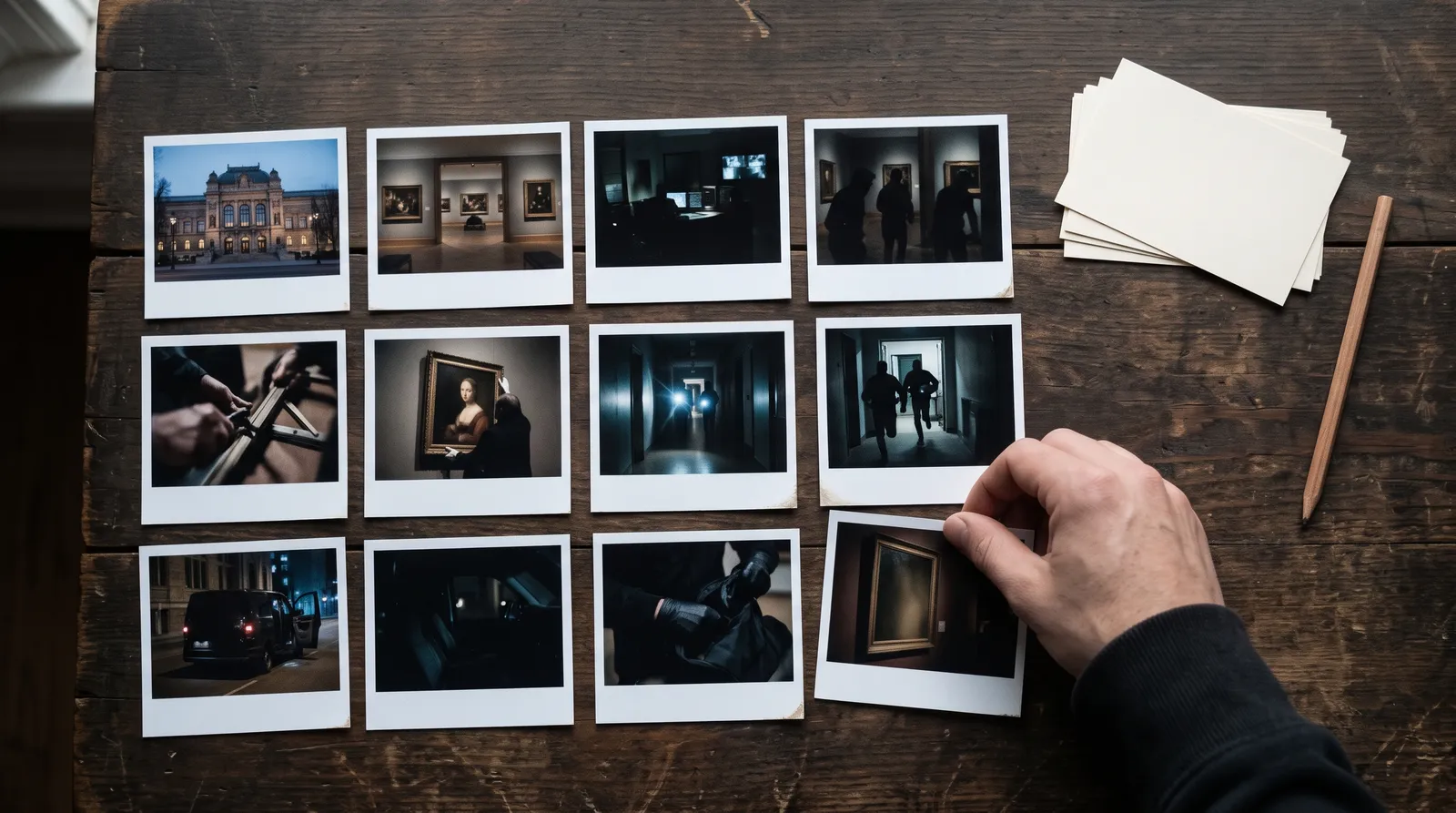
A shot list for an AI film is a table with one row per shot: what we see, who is in it, the shot size, the camera move, the length, what we hear, and which references the model needs. Write it after the script and before you generate anything. Every row you fix on paper is a render you don't pay for.
Key takeaways
- One row, one shot, one action. If a row needs the word "then", it is two shots.
- Nine columns: number, scene, shot size, what we see, camera, length, references, sound or line, notes.
- The count is simple arithmetic. Running time divided by average shot length. 180 seconds at 6 seconds a shot is 30 rows.
- Time the dialogue. People speak about two to three words a second, so a 5-second shot holds a line of 10 to 15 words at most.
- The references column is the AI part. Name every character and place in the row, every time.
What is a shot list?
On a live-action set, the shot list is the director's plan for the day. It turns the script, which is written in scenes, into shots, which is what a camera records. The assistant director uses it to schedule. The camera crew uses it to set up.
An AI film has no crew, but the list does the same job. It turns a story into units the model can make, and it makes you take every decision once, calmly, before the meter is running.
How is a shot list for an AI film different?
Five things change.
- A shot is a clip. Most video models make one continuous clip of a few seconds, up to about half a minute on the longest ones. Your row has to fit inside what your model can make.
- One action per clip. A human actor can cross a room, pick up a letter, read it and cry in one take. A model asked for four actions tends to drop or blur one of them. One row, one action.
- References are a column. The model has no memory of your last shot. Each row has to say which character and place references go in.
- Sound is decided per shot. Some models make sound with the picture and some don't. The row should say whether the shot has a spoken line, effects, or silence.
- You will make more than one take. Leave room in the notes to record which take you kept and why the others failed. That record is how you learn what your model can't do.
What columns does it need?
| Column | What goes in it | Example |
|---|---|---|
| # | Scene number, then shot number | 2.3 |
| Scene | The heading from the script | INT. BAKERY, DAWN |
| Shot size | How much of the subject we see | Wide, medium, close-up, over the shoulder, two-shot |
| What we see | One visible action, in the present tense | Mira unlocks the door |
| Camera | Static, or one move | Slow push in |
| Length | Seconds | 5 s |
| References | Every character and place in the frame | Mira, Sam, Bakery |
| Sound or line | The spoken line, effects, or "silent" | MIRA: "You're early." |
| Notes | Eyelines, continuity, what must match | Looks screen left, matches 1.3 |
Add two columns once you start rendering: status (to do, draft, approved) and takes (how many you made).
A shot list example you can copy
Here is the opening of a short film as a shot list template. A baker, Mira, finds a boy, Sam, waiting outside her shop before dawn. Copy the table and replace the rows.
| # | Scene | Shot size | What we see | Camera | Length | References | Sound or line | Notes |
|---|---|---|---|---|---|---|---|---|
| 1.1 | EXT. STREET, DAWN | Wide | Empty street, one lit bakery window | Static | 5 s | Street | Wind, a distant bird | Establishing. No people |
| 1.2 | EXT. STREET, DAWN | Medium | Sam sits on the step, hugging his bag | Slow push in | 6 s | Sam, Street | Quiet | First look at Sam. Whole costume visible |
| 1.3 | EXT. STREET, DAWN | Close-up | Sam's eyes lift to the window | Static | 3 s | Sam | Silent | Looks screen right |
| 2.1 | INT. BAKERY, DAWN | Medium | Mira slides a tray into the oven | Static | 5 s | Mira, Bakery | Oven door, tray | |
| 2.2 | INT. BAKERY, DAWN | Close-up | Mira notices something outside | Static | 3 s | Mira, Bakery | Silent | Looks screen left, matches 1.3 |
| 2.3 | INT. BAKERY, DAWN | Over the shoulder | Past Mira's shoulder: Sam on the step | Static | 4 s | Mira, Sam, Bakery | Silent | Both in frame. Check both faces |
| 2.4 | INT. BAKERY, DAWN | Medium | Mira unlocks the door | Handheld, follows her | 5 s | Mira, Bakery | Lock, door bell | |
| 2.5 | EXT. STREET, DAWN | Two-shot | Mira holds the door open. Sam stands | Static | 6 s | Mira, Sam, Street | MIRA: "You're early." | Short line, fits easily |
| 2.6 | EXT. STREET, DAWN | Close-up | Sam almost smiles | Static | 4 s | Sam | SAM: "I smelled the bread." | |
| 2.7 | EXT. STREET, DAWN | Wide | They go in. The door closes. Light spills onto the street | Slow pull back | 7 s | Mira, Sam, Street | Bell, music starts | End of the opening |
Ten shots, 48 seconds. Notice what the table already tells you. Sam is in six shots and Mira in six, so both need solid references. Three shots have both of them, and those are the hard ones. Only two shots have speech.
How do you write one, step by step?
- Mark the scenes. A new scene starts whenever the place or the time changes.
- Mark the beats. A beat is one small change: she notices him, she decides, she opens the door. Underline each one in the script.
- Give each beat a row and one action. Write what the camera sees, not what the character feels. "Sam is lonely" can't be filmed. "Sam hugs his bag" can.
- Choose the shot size by what matters. Wide for where we are. Medium for what someone does. Close-up for what someone feels. If every row says "medium", go through again.
- Give the camera one job. Static is a fine answer. One move per shot: push in, pull back, pan, tilt, track. Save moves for the moments that earn them.
- Set the length with a timer. Act the shot out and time it. Read each line aloud. At two to three words a second, a 12-word line needs about 5 seconds, plus a beat of air.
- Fill in the references. Use the exact same name for a character in every row. "Mira" in one row and "the baker" in another is how you end up with two different women.
- Check eyelines and direction. If Sam looks right in his close-up, Mira should look left in hers. If a character exits frame left, they enter the next shot from the right.
- Read it top to bottom as a film. Play it in your head. Where you get bored, cut a row. Where you get lost, add one.
How many shots do you need?
Divide the running time by the average shot length.
| Film | Average shot | Shots |
|---|---|---|
| 30-second ad | 3 s | 10 |
| 60-second ad | 4 s | 15 |
| 3-minute short film | 6 s | 30 |
| 10-minute short film | 6 s | 100 |
Fast pieces cut quicker and slow ones hold longer, so treat the average as a starting point. A worked 30-shot plan is in a 3-minute AI short film with two characters.
What are the common mistakes?
- Two actions in one row. Split it.
- A line too long for the clip. Shorten the line or split it across two shots with a cutaway between.
- Feelings in place of actions. Write what is visible.
- Changing names. One name per character and per place, everywhere.
- Every shot the same size. A film of ten medium shots feels flat. Vary wide, medium and close.
- No establishing shot. Open each new place with a wide so the viewer knows where they are.
- Too many two-character shots. They are the hardest to keep consistent. Use singles and over-the-shoulder shots where you can, and keep two-shots for the moments that need both faces. How to keep characters consistent explains why.
- Skipping the list. Rendering first and planning later costs more than it saves.
What comes after the shot list?
The storyboard. Each row becomes one still frame, so you can see the film before you pay for motion. Change the list first, then the frame, then the clip, because each step costs more than the one before it.
You can draw the frames by hand, or use software. An AI storyboard generator can turn rows into frames. Where the list sits in the whole process is covered in how to make a movie with AI.
How we checked
Written on 10 November 2026. The method is standard film practice, adapted for generated video. Nothing here is a test of a tool. The clip lengths are a general description of current video models, not a spec for any one of them. Check your own model's limits before you set lengths. The example scene is made up for this post.
Questions people ask
It is a table with one row for every shot in the film. Each row says what we see, the shot size, the camera move, the length, which character and place references the model needs, and what we hear.
Keep reading
Models12 November 20268 min read
AI Video Cost per Second: 10 Models Ranked by Credits
AI video cost per second on Hyperdream: ten models ranked from 2 to 9 credits a second, what size does to the price, and how many seconds each plan buys.
Comparisons12 November 20268 min read
Best AI Tools for Consistent Characters in 2026
The best AI tool for consistent characters depends on how it stores the character. Seven tools compared from their own pages, checked 10 November 2026.
Use Cases12 November 20267 min read
How to Make a Devotional Music Video With AI
An AI devotional video maker workflow for bhajan, mantra and aarti videos: one reference sheet for the deity, looping shots, your own recording, real costs.
More than images and video
Scripts, storyboards, motion, and characters in every version. Each one on its own, or all of them in a film.

Write a script
An idea in, a properly formatted screenplay out. Edit any line, then board it or film it.

Board a storyboard
A panel for every shot, as AI stills or quick vector frames. Export it as a pitch deck.

Make motion
Titles, explainers and moving storyboards, drawn as vector animation by the AI you pick.

Characters, places, products
One subject in many versions, or new ideas for it. Every angle, look and light.
Your first film is one sentence away.
Free to start. Pay only for what you render.