How to Make a Devotional Music Video With AI
An AI devotional video maker workflow for bhajan, mantra and aarti videos: one reference sheet for the deity, looping shots, your own recording, real costs.
By Hyperdream Team7 min read
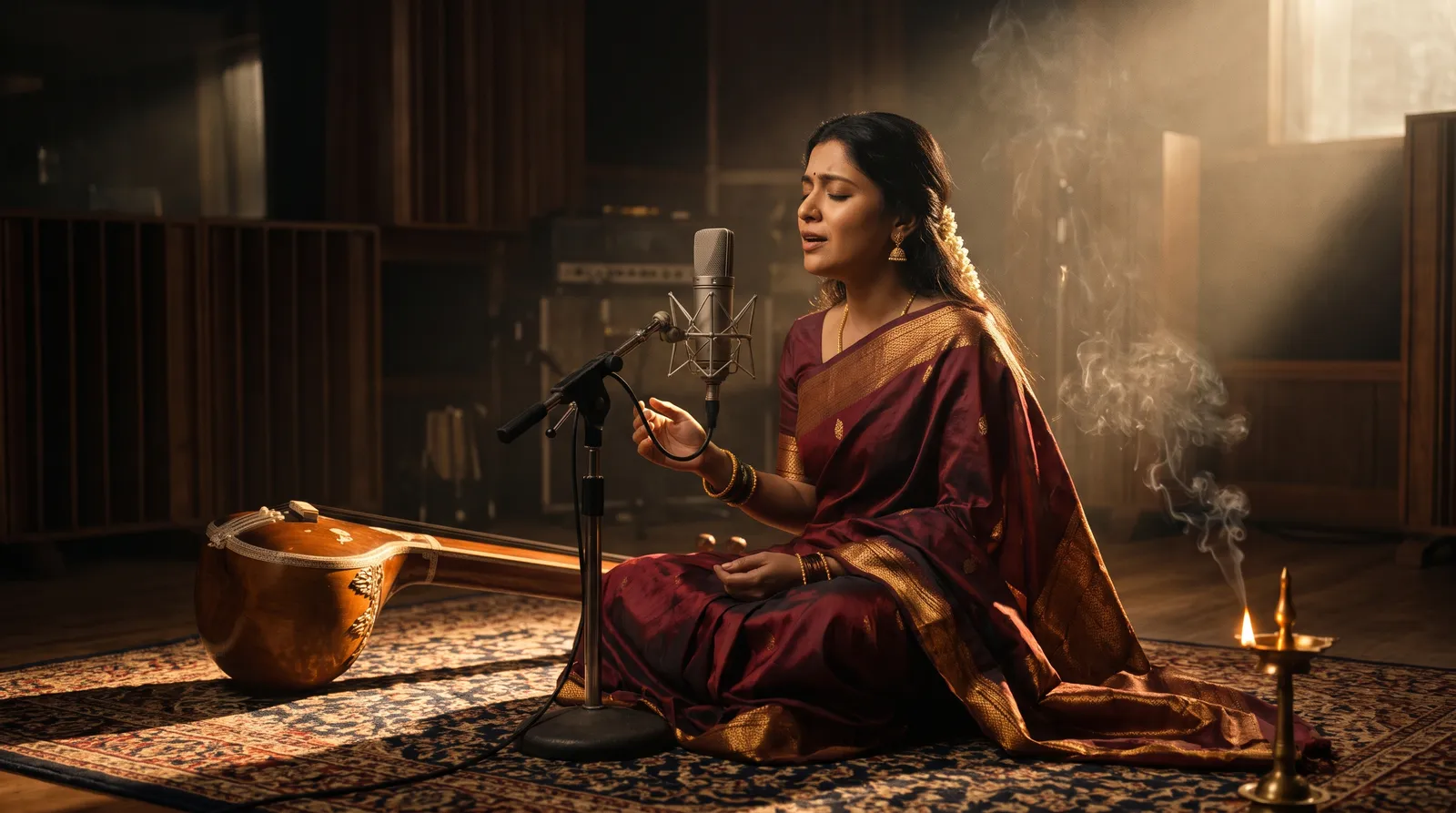
To make a devotional music video with AI, start from the finished recording, approve one reference sheet for the deity before anything else, and build the video from slow shots that loop. We made the pictures for a Mahalakshmi mantra video this way on Hyperdream in November 2026: 9 finished shots, 95 seconds of footage, 1,289 credits.
Key takeaways
- One sheet for the deity. Ours was approved after 9 earlier sheets were rejected, then used in every shot.
- Looping shots. 10 seconds each, still camera, plus one 15-second moving shot.
- Test small, finish large. A 10-second test at 720p cost 24 credits. The same shot in 4K cost 72.
- Use your own recording. Audio One songs are for personal use only, on every plan.
- Another route: Atlabs builds beat-synced scenes from an uploaded song, from $19 a month (read 10 November 2026).
What makes a bhajan, mantra or aarti video different?
Three things set it apart from other music videos.
The figure has to be right. Viewers know what the deity looks like, down to the colours and what is held in each hand. A face that changes from shot to shot is not acceptable here.
The pace is slow. A mantra repeats and an aarti builds, so long, calm shots work and fast cuts don't.
The audio comes first. The recording is usually finished before the video starts, and its words can't change to suit a picture.
So the order of work is: audio, the deity, the places, then the shots.
What should you settle before you make any pictures?
The recording. Have the final track, or a close guide version, before you plan a shot. Its length sets how much picture you need. Our brief was a mantra of 20 to 25 seconds, sung three times over about one minute of picture.
The rules for the figure. Write them down. Ours had one that was fixed early: "She can never wear white." Add the ones your tradition needs: the colours, the posture, the number of arms and what each hand holds.
Reference pictures you have the right to use. We started from two.
Someone who knows the tradition. Ask them to check the figure before you render a shot. An AI model will draw a wrong detail with full confidence.
How do you keep the deity the same in every shot?
With one image that every shot copies. When we asked ChatGPT on 10 November 2026 how to make a mantra video with a consistent goddess, part of its advice was to settle one master image first. That is the right idea. A reference sheet is the fuller version of it.
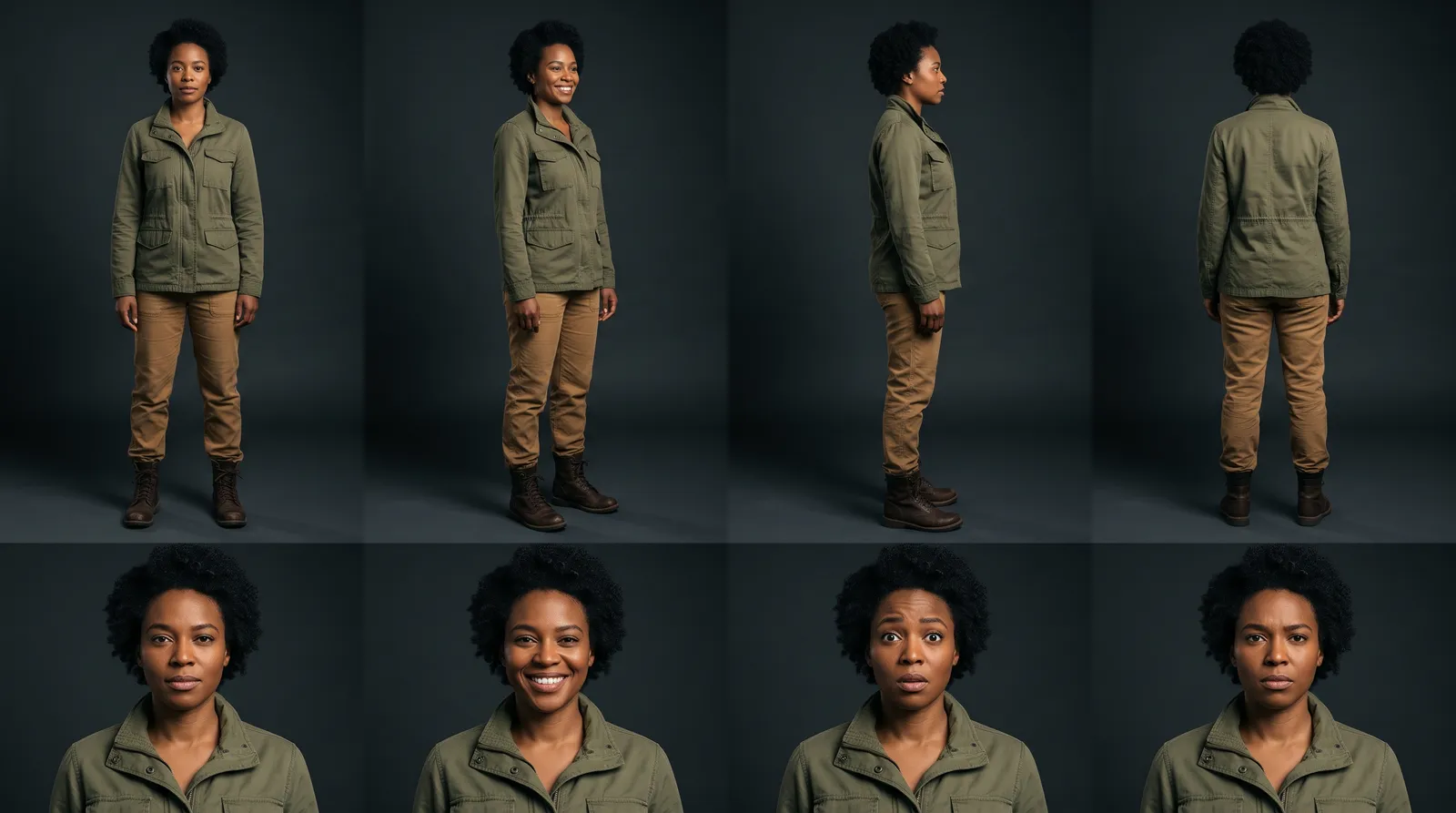
A character's reference sheet shows four full-body views, head to toe, and four expressions, in one image. You give it to the model with every shot.
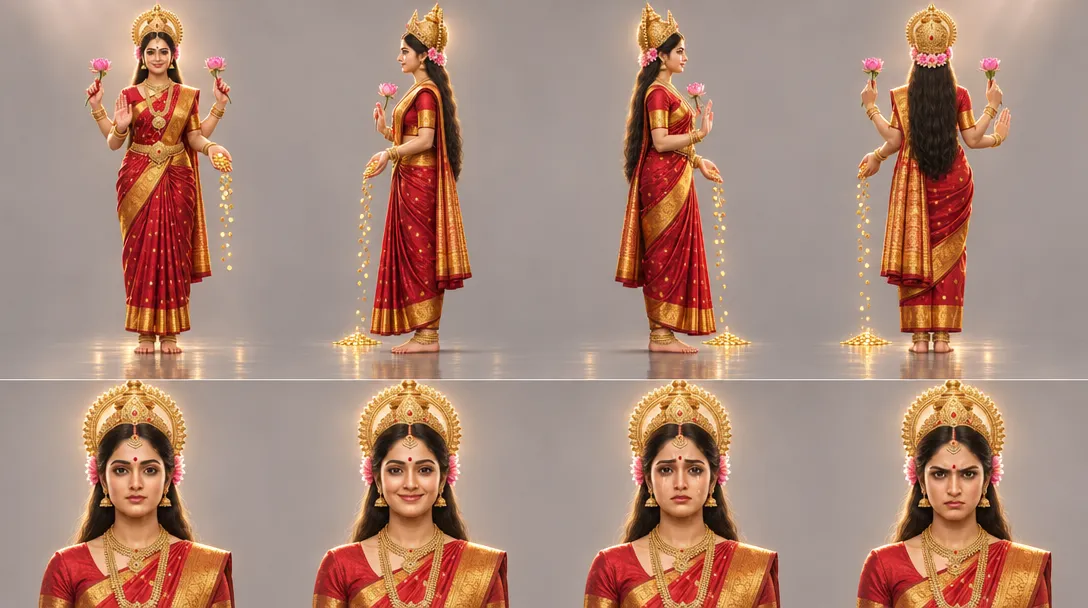 The approved reference sheet for Mahalakshmi.
It took us several tries. The first three rounds, 9 sheets in all, were rejected. Then two reference pictures were uploaded and a new sheet was drawn from them. That one was approved three minutes later and used in every shot after that. The project made 12 character sheets for 45 credits.
Uploaded pictures got us there faster than words did. The sheet, not the upload, is what each shot is given. More in how to make a character reference sheet.
How do you plan the shots?
Plan loops, not a story.
- A still camera. Each of our shots was 10 seconds with the camera locked off, so it can repeat without a visible jump.
- A few settings. We built six places, such as a lotus lake, an ocean at sunrise and a palace throne. A place gets its own reference sheet.
- One moving shot. A 15-second move that descends to a lotus bud, which opens to reveal her. One is enough.
- A still frame first. Each shot gets a still before any video is made. Fix the figure in the still, where a change costs a few credits.
Count the shots from the track: a one-minute picture needs six 10-second loops. We planned 14 shots and finished 9.
Which model and size should you render at?
We used two video models (checked 10 November 2026):
| Model | Renders | Credits | Note |
|---|---|---|---|
| Gemini Omni 1.2 | 13 | 696 | 5 tests at 720p for 24 credits each, 8 finals in 4K for 72 each |
| Wan 3.0 | 6 | 374 | At 720p and 1080p |
That is 19 video renders for 9 finished shots, or 2.1 per shot. Every render was given 1 to 3 reference pictures: the shot's still frame and the sheet.
Copy the two passes: find the shot at 720p, then render it once at the size you need.
What about verse text and album art?
Verse text. We tested golden verse text drawn into the picture and dropped it. Put the words on in the edit, where you choose the font and can check every character.
Album art. We made it in the same project, in 16:9 and 1:1, from a frame of the film plus the label's logo.
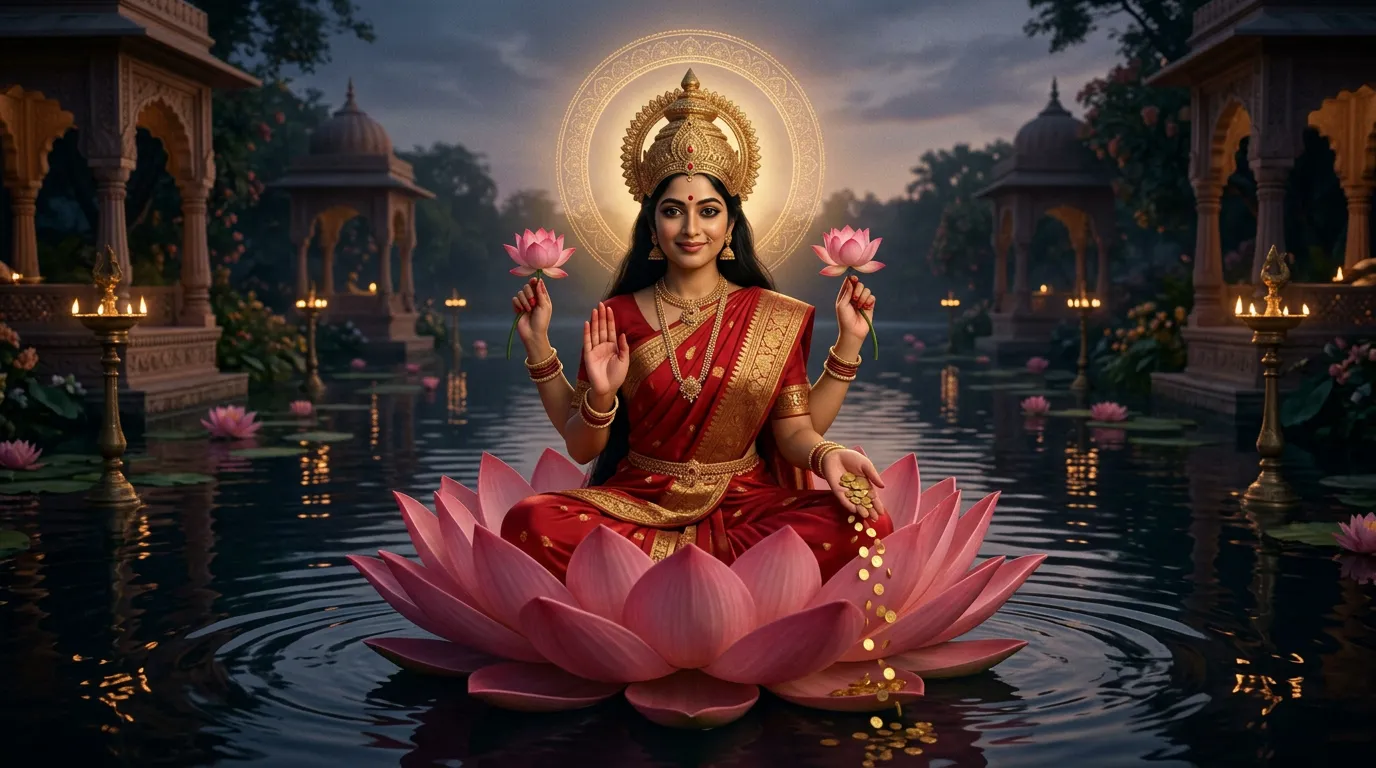 Shot 1 of the mantra video: the Lotus Sanctuary.
Where does the audio come from?
For anything you publish, your own recording. Upload it (mp3, wav, m4a, aac or ogg, up to 100 MB) and pick it as the film's music.
Hyperdream's song model, Audio One, sings your own lyrics. We used it for a guide chant: 88 seconds, with tanpura, harmonium and tabla. Two limits:
- Audio One songs are for personal use only, on every plan. A guide track for timing is fine. A release is not.
- Pronunciation is hard to fix. We asked for one sung word to be corrected and the model turned the request down. Nothing was charged.
What did it cost?
| Work | Credits |
|---|---|
| Video: 19 renders | 1,070 |
| Images: 12 sheets, 6 places, 20 frames, album art | 123 |
| Music: two runs of Audio One, four tracks | 96 |
| Total | 1,289 |
Logged working time was 3.4 to 5.7 hours over three days. Director needs the Pro plan: $99 a month with 2,000 credits (checked on /pricing, 10 November 2026).
How do you make one in Hyperdream?
- Open Director, type the brief and pick the shape. Ours was 16:9 for YouTube.
- Look: set the palette and light once. Ours was soft gold, rose-pink lotus, ivory and deep indigo.
- Cast: upload your reference pictures and make the deity's reference sheet. Get it approved by someone who knows the tradition. Then stop changing it.
- Places: make a sheet for each setting.
- Storyboard: plan each shot as a still camera that can loop, and check its still frame.
- Shots: test at Draft (720p), then render the keepers at the size you need.
- Sound: pick your uploaded recording from the Library as the film's music.
- Edit: lay the shots under the track and export. The exported film is 1080p at most. To keep 4K shots at full size, download them and build the loop in your own editor.
The AI movie maker page shows each step.
Where is Atlabs the better choice?
Atlabs has built pages for this use, and from its own pages (read 10 November 2026) it does several things we don't:
- It works from the song. "Upload your song and get visuals that carry the emotion of the music." It lists "beat-synced scene generation". On Hyperdream you cut to the music by hand.
- Lyric captions. It lists "Auto lyric captions & animated subtitles". Our captions are English only.
- Verse to video. Its Hindu video page lists "Shloka-to-Video Creation" and voice-overs in Sanskrit or Hindi.
- Price. Its pricing page starts at $19 a month, or $15 a month billed yearly, and says it is free to try. Hyperdream's Director starts at $99.
We have not tested Atlabs, so we can't compare results. Choose Hyperdream when the deity's look must be approved once and held, and you want to control each shot.
What went wrong on ours?
- 9 sheets were rejected before the look was right.
- 5 of the 14 planned shots never became video.
- There is no assembled film in the app. The shots are approved loops.
The full record is in the Mahalakshmi mantra case study. For films in Hindi, Sanskrit and other languages, see making AI films in any language.
How we checked
Project numbers come from the project record and request log, read on 10 November 2026. Prices and limits were read from the live app and /pricing the same day. Atlabs's features and prices were read on its own pages that day and are its claims; we did not test them. What we could not confirm: the published video and the audio it carries. Our one project is a mantra video for Mahalakshmi. We have not made a bhajan or an aarti video, so those parts are method, not record.
Questions people ask
Start from your finished recording. Make one reference sheet for the deity and get it approved, plan slow shots that can loop, test them at a small size, render the keepers at full size, then lay them under the track.
Keep reading
Case Studies10 November 20267 min read
Case Study: A Mahalakshmi Mantra Music Video Made With AI
An AI devotional music video case study: a Mahalakshmi mantra video with 9 finished shots, 1,289 credits and one approved look for the goddess.
Guides10 November 20267 min read
How to Make a Character Reference Sheet for AI Video
A character reference sheet for AI video shows one character in four full-body views and four expressions. How to make one, check it and use it in every shot.
Use Cases11 November 20268 min read
How to Make a Diwali Brand Film With AI in Two Weeks
A two-week plan for a Diwali brand film with AI, built on a real 30-second Hindi film for Shilp Group: 8 shots, 941 credits and what went wrong.
More than images and video
Scripts, storyboards, motion, and characters in every version. Each one on its own, or all of them in a film.

Write a script
An idea in, a properly formatted screenplay out. Edit any line, then board it or film it.

Board a storyboard
A panel for every shot, as AI stills or quick vector frames. Export it as a pitch deck.

Make motion
Titles, explainers and moving storyboards, drawn as vector animation by the AI you pick.

Characters, places, products
One subject in many versions, or new ideas for it. Every angle, look and light.
Your first film is one sentence away.
Free to start. Pay only for what you render.