AI Talking Head Models Compared: One Picture, One Line
An AI talking head generator makes one picture of a face say your line. Four models compared: Kling AI Avatar 2 Pro and Standard, OmniHuman 1.5, Gemini Omni.
By Hyperdream Team7 min read
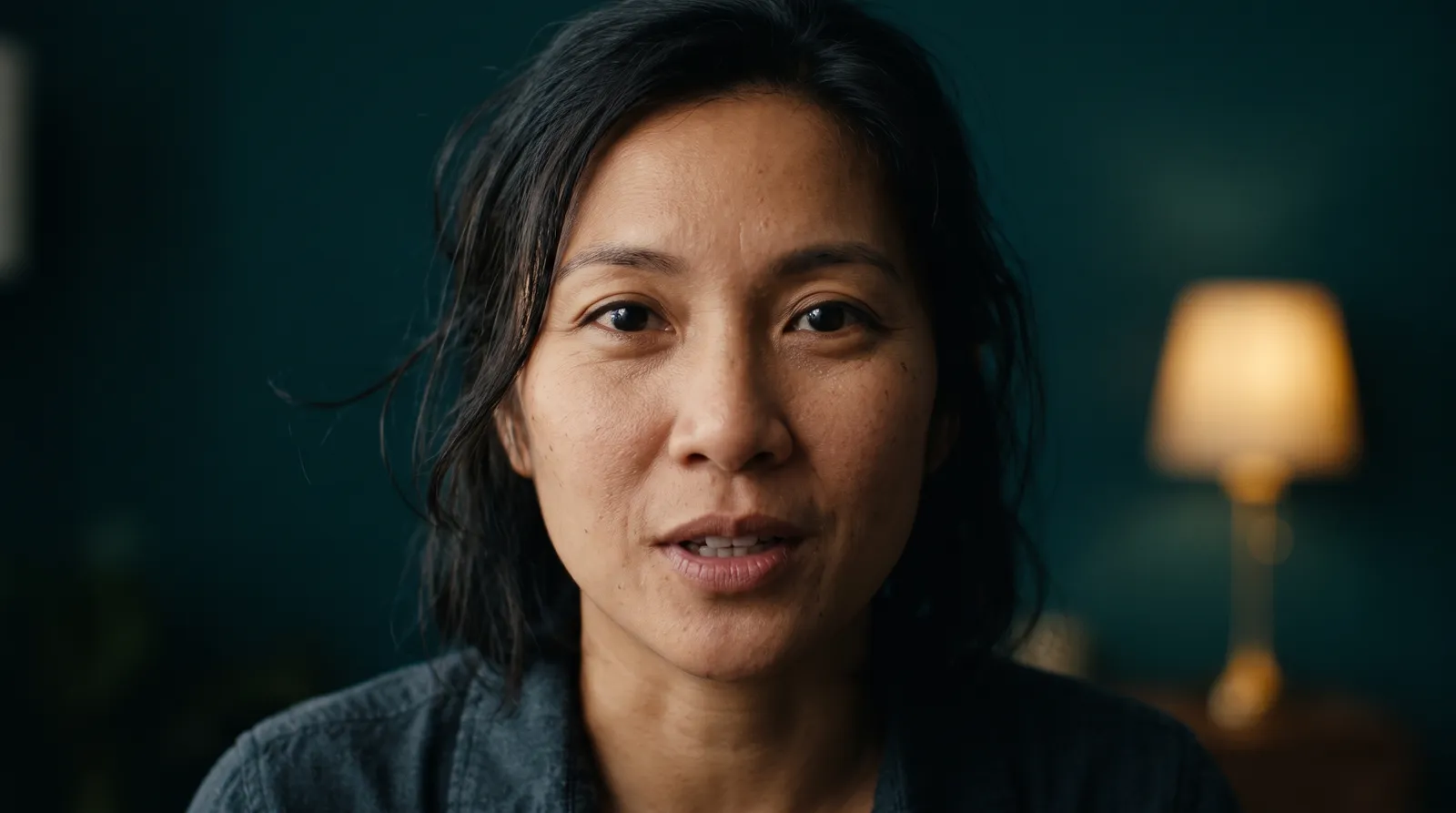
An AI talking head generator takes one picture of a face and one line of speech and makes a video of that face saying it. Hyperdream's Avatar offers four models at 3 to 5 credits a second: Kling AI Avatar 2 Pro, Kling AI Avatar 2 Standard, OmniHuman 1.5 and Gemini Omni 1.2 (checked 10 November 2026). For most lines, start with Kling AI Avatar 2 Standard. Only use faces you have permission to use.
Key takeaways
- Four models: Kling AI Avatar 2 Standard at 3 credits a second, Kling AI Avatar 2 Pro at 5, OmniHuman 1.5 at 5, Gemini Omni 1.2 at 3.
- Line length: up to 60 seconds on both Kling models, 30 on OmniHuman 1.5, 3 to 15 on Gemini Omni 1.2.
- Voice: three models say the line in a voice you pick. Gemini Omni 1.2 makes up its own.
- Best input: one clear, front-facing face.
- For training video, HeyGen and Synthesia are the better tools.
What is a talking head model?
It is a lip sync model that starts from a still. You give it a picture with a face in it and some speech, as text or as audio. It animates the mouth, the head and often the shoulders so the face appears to say the words. People also call the result a talking photo.
This is different from a video model that makes dialogue. A video model invents the whole shot, voice included, in a clip of a few seconds. A talking head model keeps your picture and your chosen voice, and can run much longer. The two are compared in the best AI video model for dialogue.
How do the four models compare?
On Hyperdream, read from the live model list on 10 November 2026:
| Model | Credits a second | Line length | Voice | Note |
|---|---|---|---|---|
| Kling AI Avatar 2 Standard | 3 | Up to 60 s | A library voice you pick, or a voice line you made | Recommended. Lower resolution than Pro |
| Kling AI Avatar 2 Pro | 5 | Up to 60 s | The same | The sharpest picture of the two Kling models |
| OmniHuman 1.5 | 5 | Up to 30 s | The same | As sharp as Pro, by our staff note |
| Gemini Omni 1.2 | 3 | 3 to 15 s | Makes up its own voice | Wide (16:9) or tall (9:16) clips only |
What a line costs:
| Line | Kling AI Avatar 2 Standard | Kling AI Avatar 2 Pro | OmniHuman 1.5 | Gemini Omni 1.2 |
|---|---|---|---|---|
| 10 seconds | 30 | 50 | 50 | 30 |
| 30 seconds | 90 | 150 | 150 | Too long |
| 60 seconds | 180 | 300 | Too long | Too long |
The tool is on every plan, and the price shows before you generate. If you make the voice line first, voice costs 3 credits per 1,000 characters on either voice model. People speak at about two to three words a second, so a 30-second line is roughly 60 to 90 words.
Kling AI Avatar 2 vs OmniHuman 1.5: which one?
We have not run the two side by side on one picture, so this compares limits and what each maker says.
| Kling AI Avatar 2 (Pro and Standard) | OmniHuman 1.5 | |
|---|---|---|
| Maker | Kuaishou | ByteDance |
| On Hyperdream | 3 or 5 credits a second, lines up to 60 s | 5 credits a second, lines up to 30 s |
| What the maker says it does | "upload character images, add voiceovers, and describe the character's expressions" | "From a single image and a voice track, OmniHuman-1.5 generates expressive character animations" |
| Maker's claim on length | "5-minute-long content scenes" in Kling's own app | "videos over one minute" from the research model |
The quotes are from Kling's AI Avatar 2.0 user guide, dated 5 December 2025, and the OmniHuman-1.5 research page, both read 10 November 2026. Those lengths are the makers' own. On Hyperdream the limits are 60 and 30 seconds.
The OmniHuman-1.5 page also says "Our framework extends to complex multi-person scenes." That describes the research model. On Hyperdream the tool works best with one face, and we have not tested it with two.
Pick Kling AI Avatar 2 Standard for a first try and for long lines on a budget. Pick Kling AI Avatar 2 Pro when the clip will be seen large. Pick OmniHuman 1.5 when the line is under 30 seconds and you want to compare its motion with Kling's on your own picture. Pick Gemini Omni 1.2 for a short line where any fitting voice will do.
What kind of picture works best?
One clear, front-facing face. That is the one firm rule we can give. The rest is common practice, not a test result:
- Face the camera. A profile hides half the mouth.
- Keep the mouth visible. No hands, microphones or scarves across it.
- Use even light. Hard shadow across the lips makes the sync harder to read.
- Frame head and shoulders. A face that is tiny in a wide frame gives the model little to work with.
- One person. A second face in the background can confuse which one speaks.
A character's reference sheet is not a good input. It shows eight views of the person in one image. Make a single still of the character first, with the sheet as a reference, and run the tool on that still.
Whose face can you use?
Faces you have permission to use. That means your own, a person who has agreed, or a character you made.
On Hyperdream a clip made on a paid plan is yours to use commercially, with that condition attached. A picture you upload is your upload, and you are responsible for the rights to it. Work made at the Free level is for personal projects.
A made-up character is the simplest case, because no real person is involved. A real person saying words they never said is the hardest, even with a signature. Get the script approved by them as well as the picture.
When is a video model with dialogue the better choice?
When the person has to act. A talking head model starts from a still and keeps its framing. If the character should cook, walk or turn while speaking, use a video model that makes speech. On Hyperdream, Gemini Omni 1.2 and Wan 3.0 are the two we point to for spoken lines, in clips of up to 15 and 30 seconds.
| You need | Use |
|---|---|
| One face to camera, in a voice you chose, for 20 to 60 seconds | Talking head |
| A character who speaks while doing something | A video model with dialogue |
| A narrator nobody sees | A voice model |
Which models make sound, and how, is in AI video models with sound.
Where are HeyGen and Synthesia better?
For training, onboarding and anything that looks like a presenter course, an avatar tool is the better choice. From their own pages, read 10 November 2026:
| HeyGen | Synthesia | Hyperdream Talking head | |
|---|---|---|---|
| Lowest paid plan | Creator, $29 a month | Starter, $19 a month | Any plan. Starter is $29 a month |
| Stock presenters | "700+" stock video avatars on paid plans | "125+ Synthesia AI Avatars" on Starter | None. You bring or make the face |
| Languages | "Over 175 languages and dialects" | "140+ languages & voices" | Two voice libraries, filtered by language |
| Learning systems | "SCORM export and LMS integrations" on Business, $149 a month | "SCORM export" on Enterprise | None |
| Free use | 3 videos a month, up to 1 minute each, with a watermark | 10 minutes of video a month | 20 credits at sign-up |
| Consent for a custom avatar | "Every custom avatar requires on-camera identity verification from the person depicted." | "Every Personal Avatar needs a live, on-camera consent recording" | Your responsibility |
Sources: HeyGen pricing and homepage, Synthesia pricing and homepage.
They are better in four ways. They give you ready presenters. They cover far more languages. They export to learning systems. And they check consent for you, on camera, where Hyperdream leaves it to you.
Hyperdream's tool is for a different job: a character from your film, or a face you made, saying one line as a shot in something larger.
How do you make one in Hyperdream?
- In Create, choose Image and make a still with one clear, front-facing face, or upload one you have the right to use.
- Open the picture and choose Talking head from the Tools menu.
- Pick the model.
- Type the line and pick a voice from the library, or use a voice line you made. Gemini Omni 1.2 needs only the line.
- Check the price shown, then generate.
The result is a new version. The picture you started from is kept. The AI image and video generator page covers Create and its tools, and all ten video models are in AI video models compared.
How we checked
The four models, their prices, line lengths and voice options were read from Hyperdream's live model list on 10 November 2026. Staff can change them. The live list's short notes on price ("half the price", "a higher price") do not match its per-second rates, so we used the rates. Kling's guide, the OmniHuman-1.5 research page, and HeyGen's and Synthesia's pricing pages and homepages were read the same day. Their lines are their own claims. We ran no side-by-side test of the four models, and none of our three case-study films used Avatar in Create's Video, so this page shows no results. We did not test HeyGen or Synthesia. Rights wording on Hyperdream is short on purpose. Read the terms before a commercial job.
Questions people ask
It is a tool that takes one picture of a face and a line of speech and makes a video of that face saying the line, with the lips matched to the words. It is also called a talking photo or lip sync from one image.
Keep reading
Models20 November 20267 min read
Kling O3 Pro: Holding a Character From Reference Pictures
Kling O3 Pro on Hyperdream: up to 4 reference pictures, a start and end frame, 3 to 15 second clips at 4 credits a second, and how it differs from Kling 4.0.
Models16 November 202610 min read
Kling 4.0 Prompt Guide: Action and Camera Moves
A Kling 4.0 prompt guide for action and camera moves: a five-part prompt structure, twenty prompts to copy, clip lengths and what each costs in credits.
Models13 November 20269 min read
Best AI Video Model for Dialogue and Lip Sync (2026)
The best AI video model for dialogue depends on the shot. How Gemini Omni 1.2 and Wan 3.0 handle spoken lines, what they cost, and a test you can run.
More than images and video
Scripts, storyboards, motion, and characters in every version. Each one on its own, or all of them in a film.

Write a script
An idea in, a properly formatted screenplay out. Edit any line, then board it or film it.

Board a storyboard
A panel for every shot, as AI stills or quick vector frames. Export it as a pitch deck.

Make motion
Titles, explainers and moving storyboards, drawn as vector animation by the AI you pick.

Characters, places, products
One subject in many versions, or new ideas for it. Every angle, look and light.
Your first film is one sentence away.
Free to start. Pay only for what you render.