Faith Content With AI: Respectful Visuals for Mantra Videos
An AI Hindu video generator draws whatever the prompt says, so the care is in the brief. How to brief, check and sign off a deity's look for a mantra video.
By Divy Brahmbhatt7 min read
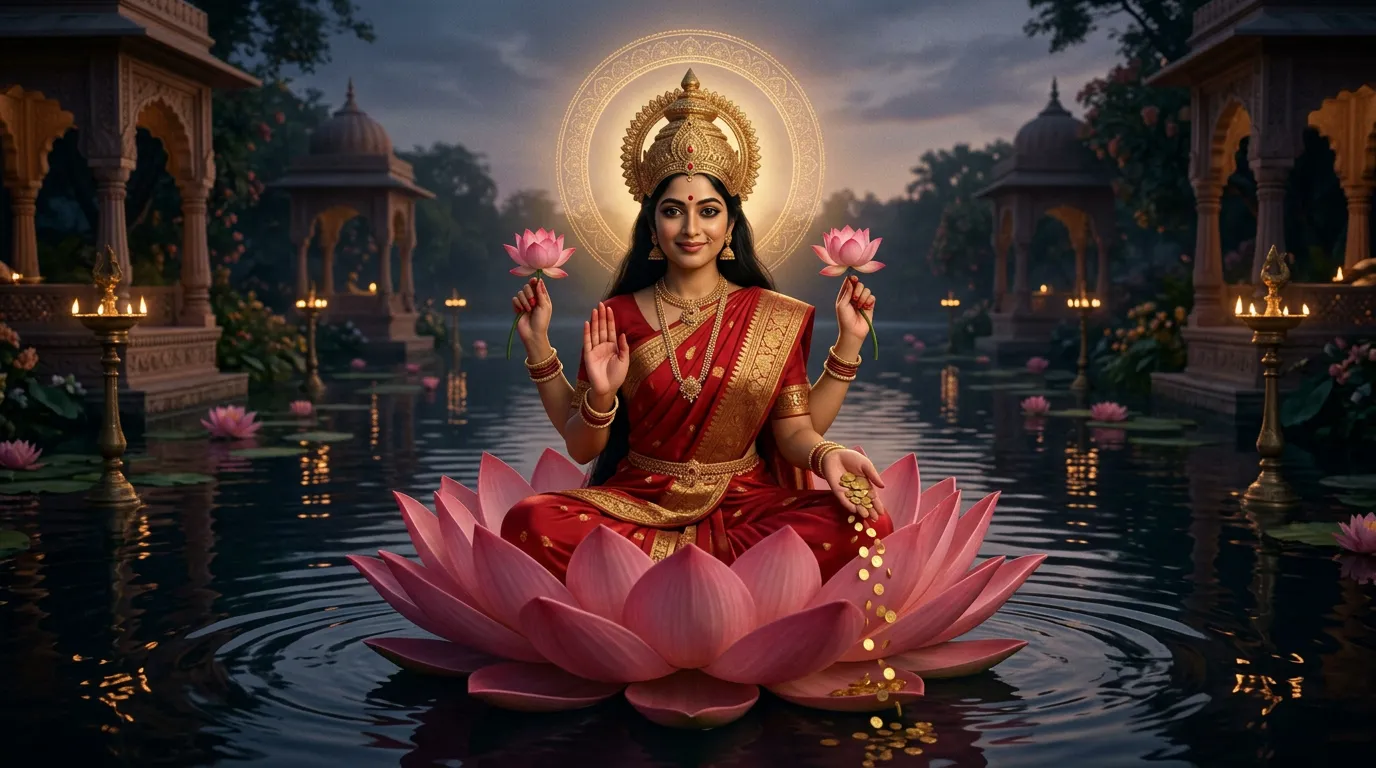
An AI model draws a deity however the prompt tells it to, so respect has to come from the brief and the sign-off, not from the tool. Ask the people whose tradition it is for reference pictures and rules, make one reference sheet from those, have a named person approve it before any shot exists, and check every frame against it.
Key takeaways
- The tool doesn't know your tradition. Any AI Hindu video generator, or any other, draws what it is told. The care is in the brief.
- Ask for reference pictures on day one. On our Mahalakshmi mantra project, 9 character sheets were rejected. The look drawn from 2 uploaded pictures was approved in three minutes.
- Write the "never" rules down. That project's brief had one: "She can never wear white."
- Three sign-offs: the look, the still frames, the finished shots. One named person gives each.
- Use your own recording for a release. Audio One songs are for personal use only, on every plan.
Why does faith content need more care?
To the people a devotional video is for, a wrong detail in an image of the divine can read as disrespect, however good the picture looks.
AI models make exactly the mistakes that matter here. They add or drop a hand. They change what a figure holds from one shot to the next. They garble writing. And they have no idea what your tradition allows.
This post is about process, so it applies to any faith. Our example is a Hindu mantra video because that is the one our team made: pictures for a Mahalakshmi mantra for the music label Om Infinity Music, in November 2026. The numbers are in the case study. We are not an authority on any tradition. Nothing below says how a deity should look. It says how to find out, and how to hold the answer steady across a film.
Who decides what the deity looks like?
Not the model. Not the editor. The people the video is for.
That might be the music label, a temple committee, a priest, or a family commissioning a video for an occasion. Name one person who has the final say, and agree it before work starts. On the mantra project the record notes that the client finalised the shot.
How do you brief a deity's look?
One page, seven headings. Fill it in with the client, in their words.
| Heading | Ask the client | What our approved frames show |
|---|---|---|
| Form and posture | Seated or standing? How many arms? Facing us? | Seated on a lotus, facing the viewer |
| What they hold | In which hand, and does it ever change? | Follow the client's reference pictures |
| Dress and ornaments | Garment, crown, jewellery | A red and gold sari, a golden crown and halo |
| Colours | The palette, and any colour to keep out | Rose-pink lotus, antique gold, ivory, deep indigo |
| Seat or vehicle | What they sit or stand on | A lotus |
| Setting | Where can they be shown? | A lotus lake, an ocean at sunrise, a palace throne, a garden pool, a marble terrace above the clouds |
| Never | What must never appear | "She can never wear white." |
The right-hand column is what was approved for one project. It is not a rule for yours.
Attach the client's own reference pictures to the page. They are worth more than any wording.
What happened when we started without reference pictures?
We lost three rounds.
The first three rounds of designs, 9 character sheets in all, were thrown out. All were made before any reference picture had been uploaded. Then two reference pictures were uploaded and a new look was drawn from them. That look was approved three minutes later and was used in every shot after that.
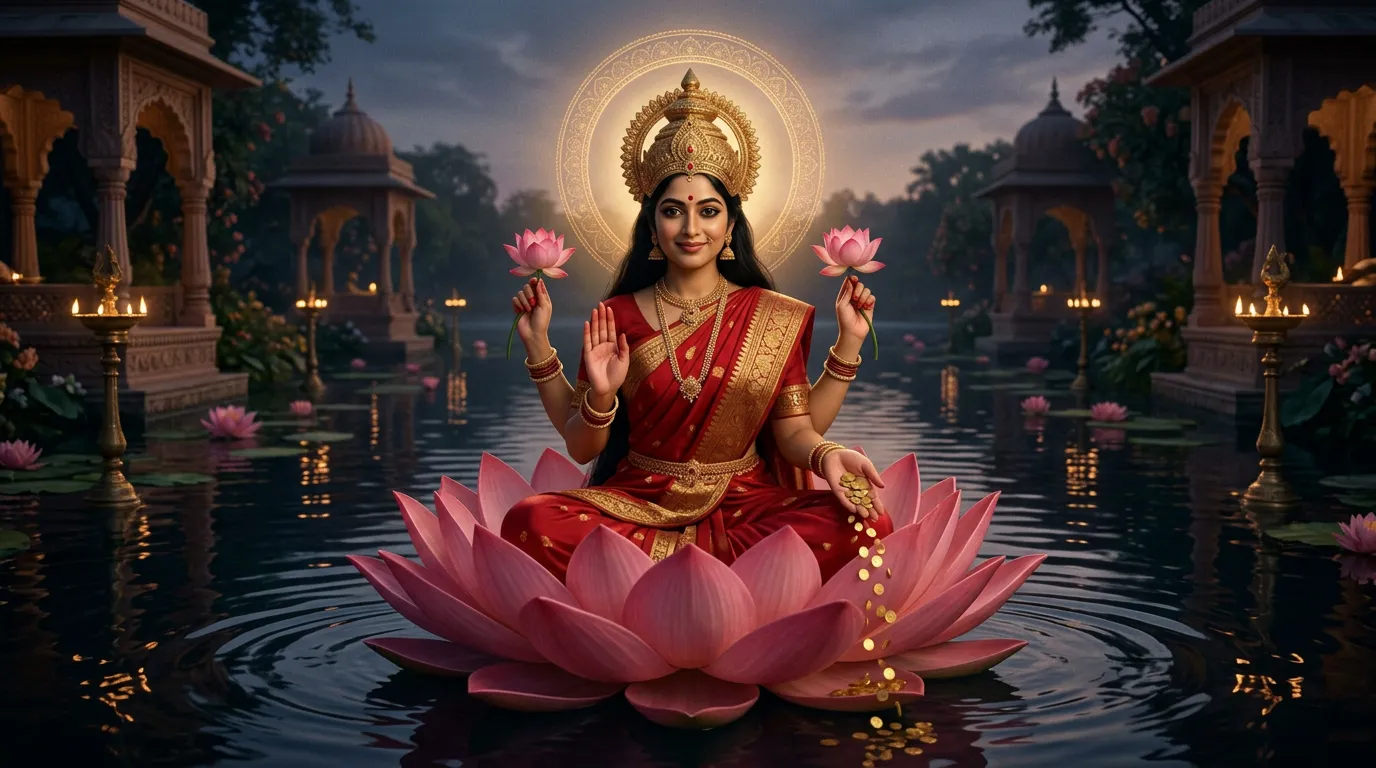
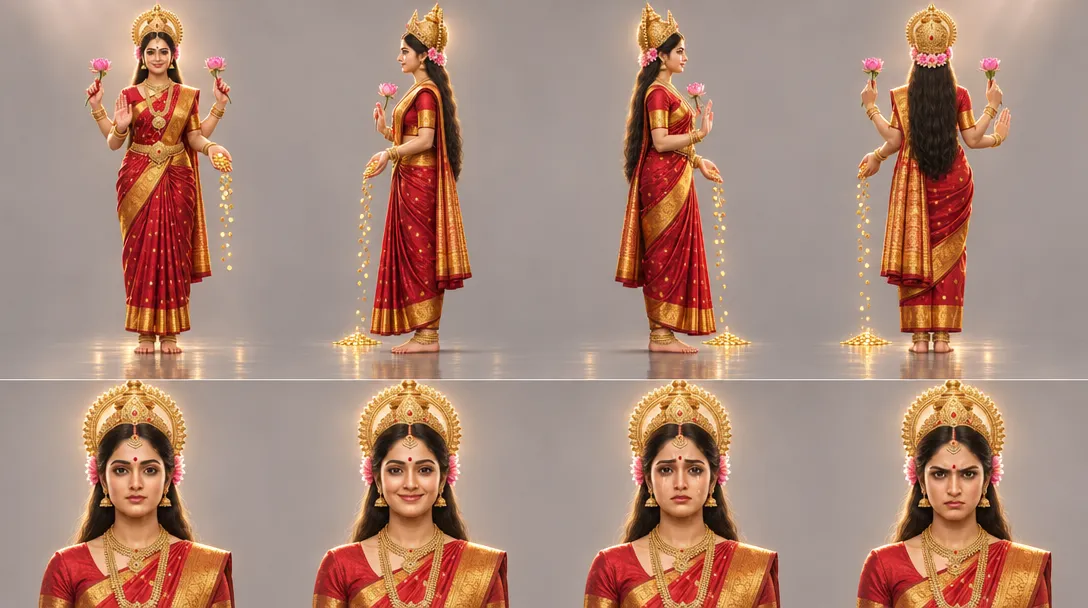 The approved reference sheet for Mahalakshmi.
In all, 12 character sheets were made, for 45 credits. The real cost was the time.
In Hyperdream a character's reference sheet shows four full-body views, head to toe, and four expressions. Uploaded pictures are what the sheet is drawn from, and the sheet is what each shot is given. On this project every video render was given 1 to 3 reference pictures.
What should you avoid?
- Guessing from a prompt. "Goddess Lakshmi, divine, cinematic" gets you a model's average of the internet. Start from the client's pictures.
- A look that drifts. Use one approved sheet for every shot. Don't make a new design for each scene.
- A busy camera. This project chose calm, symmetrical frames. Eight of the 9 finished shots are 10 seconds with a still camera, made to loop. One is a slow 15-second move that ends on the goddess.
- Unchecked hands and objects. Count the hands in every frame. Check what each one holds against the sheet.
- Unchecked writing. We tested golden verse text on screen and dropped it. If you put a mantra on screen, have someone who reads the script check every letter.
- An unchecked chant. Have someone who knows the mantra listen to it. We asked the song model to fix how one word was sung. It turned the request down, and we were not charged.
When should the client sign off?
Three times, cheapest first.
- The look. The reference sheet, before anything else is made.
- The still frames. One per shot, before any video.
- The finished shots. Each one, watched to the end.
In Hyperdream, "Share for review" makes a link the client opens with no account. They pin comments, then approve each item or ask for changes. Every decision is listed under Projects > Reviews, so there is a record of who said yes to what.
What about the music?
The chant in our project was made with Audio One, Hyperdream's song model. Audio One songs are for personal use only, on every plan. So it was a working track for timing the pictures, not something a label can release.
For a release, upload the label's own recording and pick it from the Library as the film's music in the Sound step. Audio uploads can be up to 100 MB.
Will the tool refuse sacred subjects?
Every prompt passes a safety filter before anything is made, and a model can turn a request down. A render that is refused or fails is not charged.
On this project all 45 image requests and all 19 video renders went through. That is one project, not a promise about every subject.
Where is a dedicated devotional tool better?
Atlabs has pages built for this. Its bhajan page says you upload your song, and it lists "Beat-synced scene generation" and "Auto lyric captions & animated subtitles" in more than ten styles. Its Hindu video page lists "Shloka-to-Video Creation" and voice-overs in Sanskrit or Hindi (both read 10 November 2026).
If you have a finished song and want cuts on the beat and lyrics on screen, that is a better fit. Hyperdream's Edit step is a timeline you cut yourself, and its captions are English only today. What Hyperdream gives you is control of the look: one approved sheet, a still for every shot, and a sign-off at each stage.
The only advice on depiction we found on those two pages was to "choose a reverent visual style". The brief and the sign-off are yours whichever tool you use.
How do you do this in Hyperdream?
Director, the film agent, is on the Pro plan ($99 a month, 2,000 credits) and up (checked on /pricing, 10 November 2026). The mantra project used 1,289 credits.
- Open Director, type the brief and pick the shape. Set the palette in Look.
- In Cast, add the client's reference pictures under "Pictures to draw from" and make one reference sheet. Send it with Share for review and wait for the yes.
- In Places and Storyboard, make a sheet for each setting and a still frame for each shot. Send the stills for review.
- In Shots, test at Draft (720p), then render the approved shots at the final quality.
- In Sound, pick the client's uploaded recording as the music.
- In Edit, lay the shots under the track and export. The exported film is 1080p at most.
For a single picture, Create has Image with "What is it" set to Character, on every plan. See the AI character generator page.
The full steps for a video are in how to make a devotional music video with AI, and language questions (Sanskrit, Hindi and others) are in making AI films in any language.
How we checked
The project numbers come from the project record and the workspace's request log, read on 10 November 2026. The "approved frames" column describes what the approved pictures show. It is not guidance on any tradition, and no religious authority reviewed this post. Atlabs's lines were read on its own two pages the same day; we did not test Atlabs. We could not find the published video, so we don't know which audio it carries. Plan prices were read from Hyperdream's pricing data the same day.
Questions people ask
Yes, when the look comes from the people whose tradition it is and not from the model's guess. Collect their reference pictures and rules, make one reference sheet, have a named person approve it, and check every frame against it.
Keep reading
Use Cases12 November 20267 min read
How to Make a Devotional Music Video With AI
An AI devotional video maker workflow for bhajan, mantra and aarti videos: one reference sheet for the deity, looping shots, your own recording, real costs.
Comparisons21 November 20268 min read
Atlabs vs Hyperdream for Hindi and Devotional Videos
Looking for an Atlabs alternative? Atlabs is cheaper and builds a video from your song. Hyperdream holds one approved look per character and controls each shot.
Case Studies10 November 20267 min read
Case Study: A Mahalakshmi Mantra Music Video Made With AI
An AI devotional music video case study: a Mahalakshmi mantra video with 9 finished shots, 1,289 credits and one approved look for the goddess.
More than images and video
Scripts, storyboards, motion, and characters in every version. Each one on its own, or all of them in a film.

Write a script
An idea in, a properly formatted screenplay out. Edit any line, then board it or film it.

Board a storyboard
A panel for every shot, as AI stills or quick vector frames. Export it as a pitch deck.

Make motion
Titles, explainers and moving storyboards, drawn as vector animation by the AI you pick.

Characters, places, products
One subject in many versions, or new ideas for it. Every angle, look and light.
Your first film is one sentence away.
Free to start. Pay only for what you render.