Hyperdream Commercial Rights: What Each Plan Lets You Use
Hyperdream commercial use by plan: paid plans are yours to use commercially, the free level is for personal projects, and four cases carry their own limits.
By Hyperdream Team7 min read
Work made on any paid Hyperdream plan is labelled "Yours to use commercially": you can use it in ads, client work and things you sell. Work made at the free level is labelled "For personal projects". Four cases carry their own limits, and the law on AI-made work differs by country. This page sums up the Terms of Service as read on 10 November 2026. It is not legal advice.
Key takeaways
- Paid plans (Starter $29, Creator $49, Pro $99, Business $199 and every team seat): "Yours to use commercially".
- The free level (the 20 sign-up credits): "For personal projects". To use a piece commercially, upgrade and make it again.
- Audio One songs are for personal use only, on every plan.
- Lyria 2 and Eleven Music tracks are fine in ads, social posts and films, but not for release on their own.
- You own what you make. Whether copyright protects it depends on the country.
What does each plan let you do with your work?
Every file in your Library carries a usage label. The label is set when the piece is made and stays with it. This is the table in section 8 of the terms:
| How it was made | Label | What it means |
|---|---|---|
| On any paid plan | Yours to use commercially | Use it in ads, client work and things you sell |
| On the free level | For personal projects | Not for ads or anything you sell. To use it commercially, upgrade and make it again |
| With Audio One, on any plan | For personal projects | Songs from Audio One are for personal use only, on every plan |
| With Lyria 2 or Eleven Music, on a paid plan | Yours to use commercially | Fine in ads, social posts and films. Not for release on its own as a track or a song |
| With the talking head tool, on a paid plan | Yours to use commercially | Only use faces you have permission to use |
| Something you uploaded | Your upload | You are responsible for having the rights to it |
| A film | Follows the plan its shots were rendered on | Free level: personal. Paid plan: commercial |
One more label exists. Work made before Hyperdream kept the plan with each file reads "Rights not recorded". To be sure about such a piece, make it again on a paid plan.
All four paid plans give the same commercial label. The plans differ in credits, models and features, not in rights. Those differences are in Hyperdream pricing explained and on the pricing page.
Who owns what you make?
You do. The terms put it in three sentences:
- "You own what you make."
- "We claim no ownership of your prompts, uploads or results."
- "If the law gives us any rights in your results, we assign them to you."
Your uploads stay yours as well. In a team, the work belongs to the team, not to the person who made it. If your employer or a client runs the team, your agreement with them decides who owns the work between you. Hyperdream is not part of that agreement.
Is AI-made work protected by copyright?
That depends on where you are. The terms say so plainly:
"The law on AI-made work differs by country. In some places, work made mostly by AI gets little or no copyright protection."
Two things follow, and both are in the terms.
- Ownership is not the same as protection. Hyperdream gives you everything it has. It cannot promise that a result is protected by copyright where you live, or that you can stop others from copying it.
- Results may not be unique. Someone else can type a similar prompt and get a similar result. Owning yours gives you no rights over theirs.
If a client's contract asks you to hand over copyright in the film, read that clause with a lawyer before you sign.
What does "Yours to use commercially" leave to you?
The label covers what Hyperdream and the model's terms allow. The terms say it "is not a promise that a result is free of other people's rights". Three jobs stay with you.
- Permissions. If your prompt or upload brings in someone's face, voice, brand, character or copyrighted work, you still need their permission.
- Checking the result. AI results can look or sound like existing work or real people without meaning to. Check logos, faces and facts before a client uses anything.
- Labelling. Some laws and platforms require AI-made content to be labelled. Following those rules when you publish is your job.
Which music can go in a client film?
| Model | Lowest plan | Rights on a paid plan |
|---|---|---|
| Lyria 2 (Google) | Free level | Commercial inside ads, social posts and films. Not as a standalone track |
| Eleven Music (ElevenLabs) | Starter | The same: commercial, not as a standalone track |
| Stable Audio 2.5 (Stability AI) | Free level | Commercial |
| Audio One (Hyperdream) | Free level | Personal use only, on every plan |
Model list read on 10 November 2026.
The Audio One row matters most. A song from Audio One is for personal use on Starter, on Business and on everything between. A film's label follows the plan its shots were rendered on, and a film scored with Audio One is labelled for personal projects too. For a film a client will run, score it with one of the other three models or with a track you have licensed yourself.
What about faces and voices?
The talking head tool makes a face say a line. On a paid plan the result is yours to use commercially, with one condition: only use faces you have permission to use. The same goes for voices. The terms say to use, change or imitate a real person's voice only with their permission, and that applies to "Change the voice" and to any audio you upload.
Fakes of real people without consent are not allowed on any plan.
What about your uploads?
An upload is labelled "Your upload". You keep every right you had in it, and you are responsible for having those rights. By uploading something, you confirm you are allowed to use it this way. Only upload pictures, footage, music, logos and scripts you own or have the right to use.
What happens to your rights if you change plan or cancel?
- You upgrade. Things you made at the free level keep their "For personal projects" label. Make them again on the paid plan to use them commercially.
- You downgrade or cancel. The label is set when a piece is made and stays with it. The sections of the terms on ownership and use carry on after an account ends.
- You delete your account. Your films, renders and uploads are removed for good after 30 days. Download what you need first.
Does Hyperdream use your work?
Only to run the service for you. The terms say Hyperdream will not use your work to promote itself, on its site, in ads, on social media or in a showcase, unless you give clear permission for that piece first. They also say: "We do not use your prompts, uploads or results to train AI models." The Privacy Policy has the detail, and what happens to client work on Hyperdream walks through it.
What do the terms not give you?
Say these out loud to a client before the film ships, not after.
- A copyright guarantee. There is none, for the reason above.
- A promise that results are unique or free of other people's rights.
- Cover for claims. If someone brings a claim against Hyperdream because of something you uploaded or asked for, or because you used a result against the terms or the law, the terms say you cover Hyperdream's reasonable losses and legal costs.
- Commercial use of free work. Free-level work is personal. The route the terms give is to upgrade and make it again.
- A commercial song from Audio One. Not on any plan.
How do you check a piece before it goes to a client?
- Open the file in the Library. Each file shows how it was made and its usage rights.
- Look for "Yours to use commercially". If it says "For personal projects" or "Rights not recorded", make the piece again on a paid plan.
- Check the music in the Sound step. Swap out any Audio One song.
- For every real face and voice, keep the written permission with the project.
- For every upload, keep a note of where it came from and the licence.
- Use Share for review so the client approves the exact version you deliver.
What an approved film costs to make is in the cost of an approved AI film. For the short version of the product, see what Hyperdream is.
How we checked
We read Hyperdream's Terms of Service (sections 3, 7 to 11, 15, 17, 18 and 20) and Privacy Policy on 10 November 2026, along with the usage labels the app shows on each file and the live model list. Quoted sentences are from the terms. Plan prices are from the live pricing page the same day. What we could not confirm: which label a piece gets when it is made on pack credits after a plan has ended, so check the label on the file. Nothing here is legal advice, and the terms themselves are what count.
Questions people ask
Yes, when they were made on a paid plan. Work made on Starter, Creator, Pro, Business or a team seat is labelled "Yours to use commercially", which covers ads, client work and things you sell (checked 10 November 2026). You still need permission for any real face, voice, brand or copyrighted work you bring in.
Keep reading
Guides10 November 20267 min read
Hyperdream Pricing Explained: Plans, Credits and Limits
Hyperdream pricing, checked 10 November 2026: plans from $29 to $199 a month with 390 to 4,000 credits, 20 free credits, packs and each plan's limits.
Guides10 November 20268 min read
What Is Hyperdream? Facts, Plans and Limits (Nov 2026)
Hyperdream AI is an AI film studio: Create for single images, clips and audio, Director for whole films. Plans, models and limits, checked 10 November 2026.
Guides11 November 20266 min read
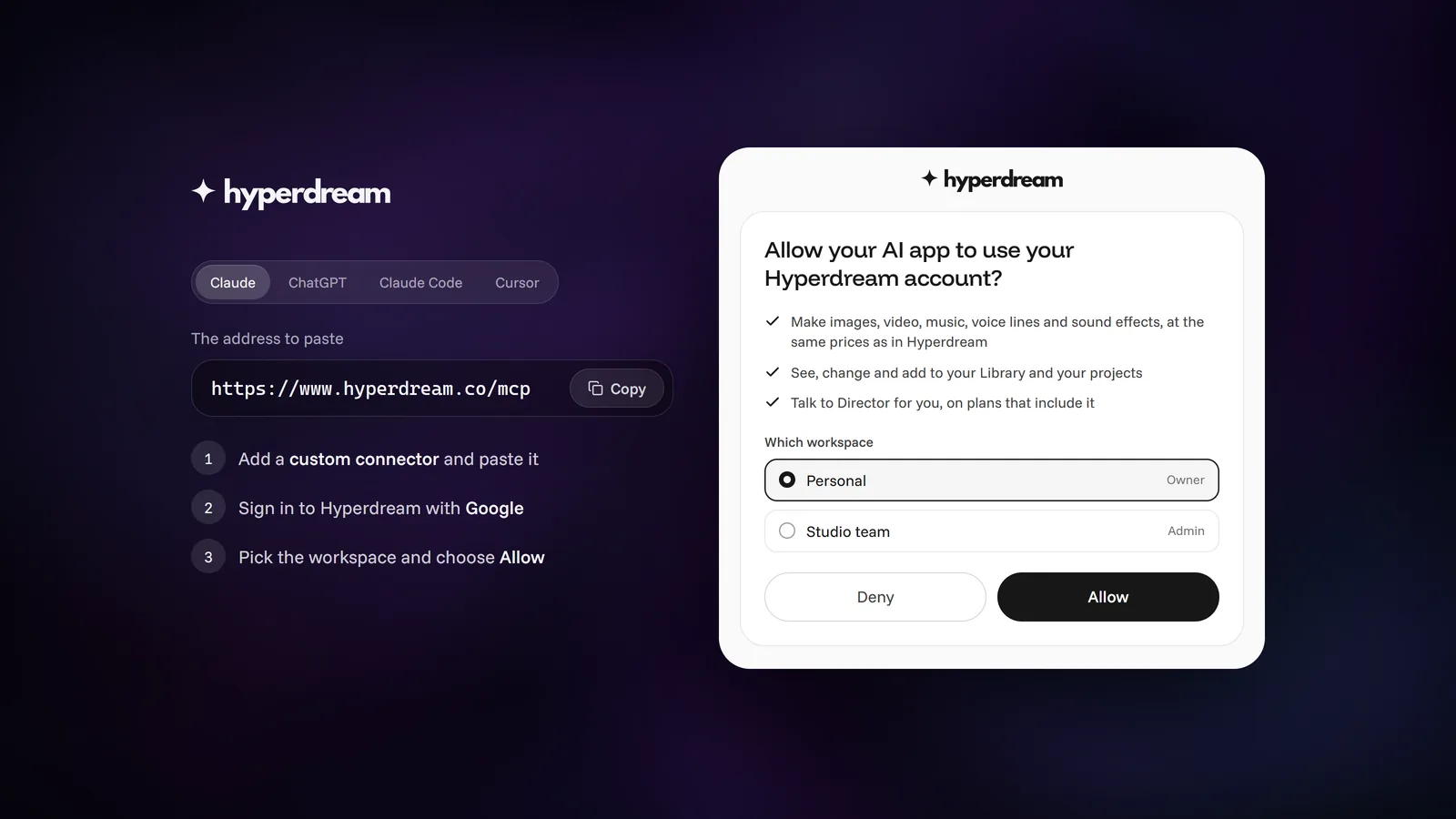
Connect ChatGPT, Claude or Cursor to Hyperdream (MCP Guide)
Step by step: add Hyperdream to ChatGPT, Claude, Claude Code or Cursor with one address and a sign-in, no API keys. Plus fixes for when sign-in doesn't finish.
More than images and video
Scripts, storyboards, motion, and characters in every version. Each one on its own, or all of them in a film.

Write a script
An idea in, a properly formatted screenplay out. Edit any line, then board it or film it.

Board a storyboard
A panel for every shot, as AI stills or quick vector frames. Export it as a pitch deck.

Make motion
Titles, explainers and moving storyboards, drawn as vector animation by the AI you pick.

Characters, places, products
One subject in many versions, or new ideas for it. Every angle, look and light.
Your first film is one sentence away.
Free to start. Pay only for what you render.