How to Make an Industrial Film With AI: A B2B Playbook
How to use an AI corporate film maker for an industrial brief: one industry film, one named story, place sheets for the factory floor, and real numbers.
By Divy Brahmbhatt7 min read
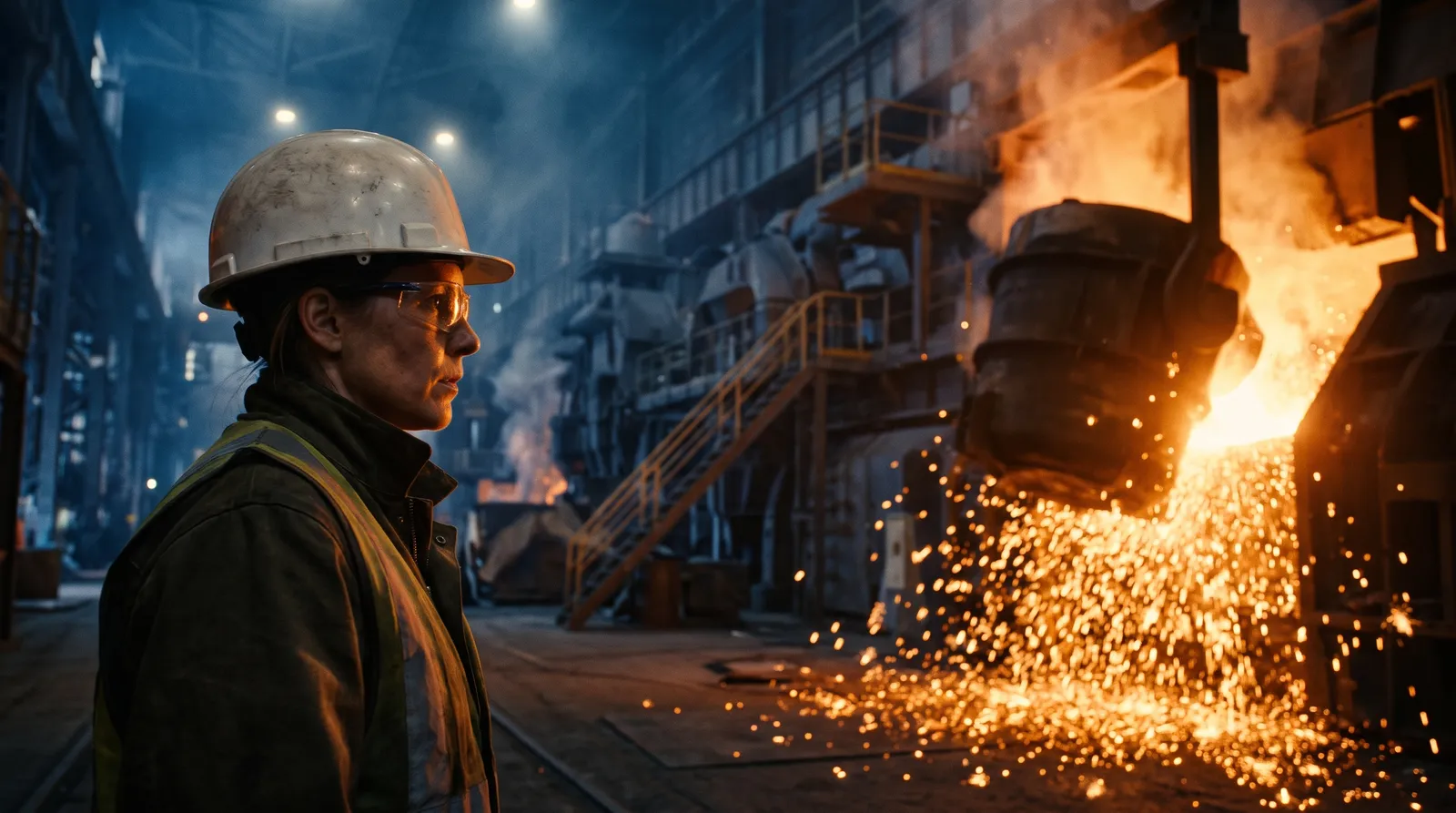
An industrial film made with AI works when you split the brief in two: a short film about the whole industry, told through types of people, then a second film about one named person. We made that pair in Hindi for MAHA-GFC. The second film, 22 shots long, took 40 video renders, 1,200 credits and about six hours of logged work.
Key takeaways
- Two films, two levels. An industry film (6 scenes, 9 shots, 7 character types) and one manufacturer's story (7 scenes, 22 shots, 4 named characters).
- Make the factory floor once. A place gets one reference sheet: the wide, the reverse, the middle and the details. Each film used 4 places.
- Budget about two video renders per finished shot. We needed 2.3 on the 9-shot film and 1.8 on the 22-shot film.
- 22 shots cost 1,200 credits at summer 2026 model prices. That fits inside one month of Pro: $99 with 2,000 credits (checked 10 November 2026).
- Both final cuts were made in outside editing software, from the files the project gave us.
What makes an industrial film hard to make with AI?
Three things.
The offer is abstract. MAHA-GFC is a planned furniture city from Bharat Cluster Ventures (BCVPL). The pitch to a furniture maker is to move into one shared place with their suppliers, designers and exporters. A brochure can say that. It can't show a factory owner where they would fit.
The viewer knows the real thing. A B2B audience has stood on a factory floor. A room that changes between shots, or a machine that makes no sense, loses them at once.
The language is often not English. Both films are in Hindi. A film like this needs the script, the lines and the narrator in the viewer's language. More on that in making AI films in any language.
Why make two films instead of one?
Because the same case has to land twice: once for the industry, once for one person in it.
Film 1 is the industry film. Its title asks: "What if the whole furniture industry came together in one place?" Its seven characters are types, not people: The Carpenter, The Manufacturer, The Woman Entrepreneur, The Young Engineer, The Farmer, The Foreign Buyer and The Showroom Owner. Each viewer finds their own trade in it. It runs 9 shots and 94 seconds, written for one deep Hindi narrator.
Film 2 is one manufacturer's story. "From Legacy to the World" follows Rajendra "Raj", who runs a family furniture business, with his production manager, his senior technician and a MAHA-GFC representative. It starts in his factory before dawn and ends on an export route. It runs 22 shots and 144 seconds, and Raj speaks Hindi to camera.
Types first, a named lead second. The first film says "this is about people like you". The second says "this is what it would mean for you". If we only had the budget for one, we would make the second. A named person is easier to follow than a list of benefits.
How do you keep the factory floor the same in every shot?
Make it once, as a place, before any shot exists.
In Hyperdream's Director, the Places step gives each location one reference sheet: the wide, the reverse, the middle and the details. That sheet goes to the model with every shot set there, so the model is shown the same room each time and has less to invent.
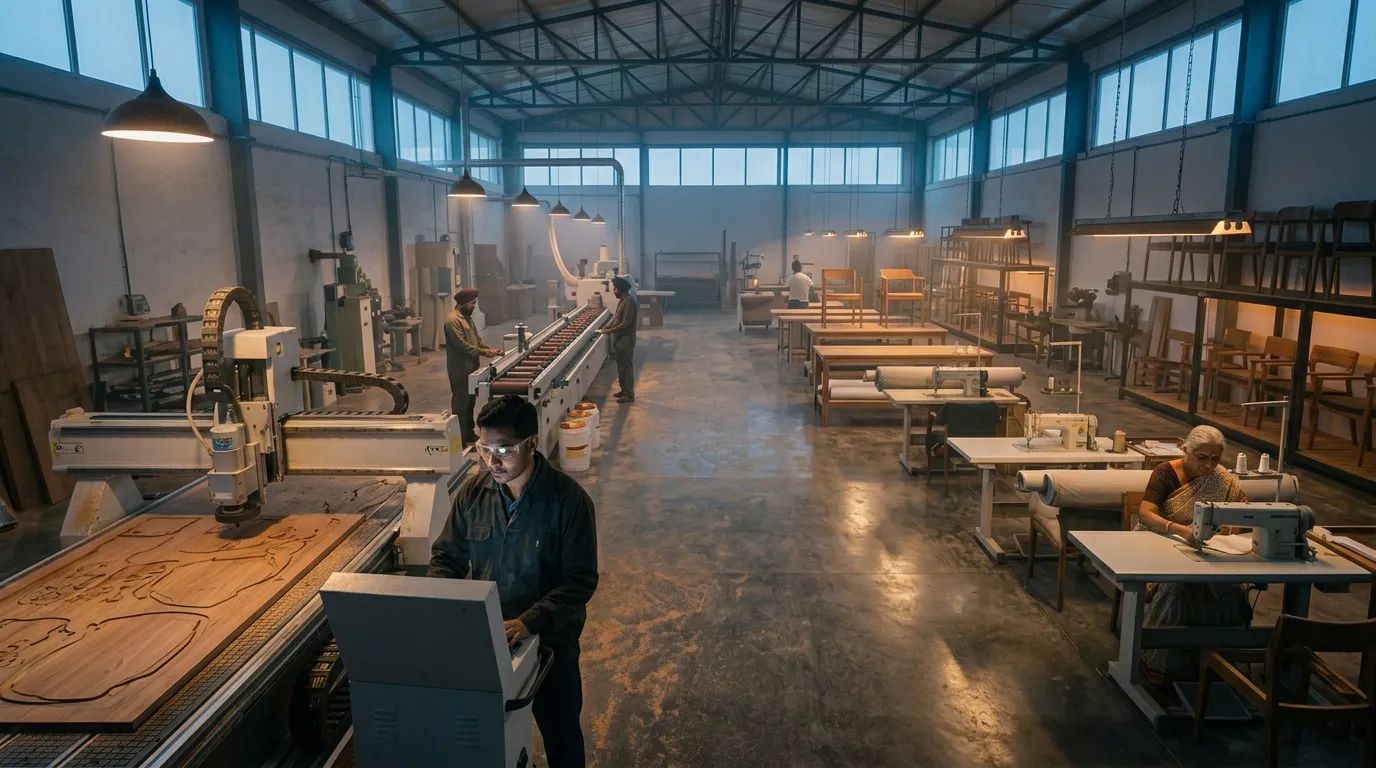 Film 2, scene 2: the factory floor. A still frame made before the video shot.
Film 2 used four places: Manufacturer's Office, Established Furniture Manufacturing Floor, MAHA-GFC Connected Business Campus and MAHA-GFC Export Logistics Corridor. Film 1 used four of its own, from Fragmented Furniture Workshop to MAHA-GFC Industrial Park.
Three habits help on industrial work:
- Name a place by its job in the story. "Established Furniture Manufacturing Floor" tells the model more than "factory".
- Upload real photos if you have them. The sheet is drawn from the pictures you give it. Photos of a real floor, a real showroom or a site plan pull it towards the truth.
- Give a product its own sheet. A machine or a finished chair that must look identical in every shot is a product. Its sheet shows every side and the details.
Our two films were made in summer 2026, when each place had a single reference image. The sheet with four views came later.
How do you cast an industrial film?
By what the film needs, types or people.
For an industry film, write each character as a trade and an age, and keep the names generic. Seven types let us cover the supply chain from the carpenter to the foreign buyer in nine shots.
For a story, give the lead a name, a business and a reason to care. Raj's first scene is his factory before dawn, with a family photograph in frame. Three supporting characters were enough.
Either way, each character gets one reference sheet in the Cast step: four full-body views head to toe and four expressions. The method is in how to keep characters consistent.
What does the script need?
A clear arc and short lines.
Film 1 moves through six beats: the scattered industry, the cost of working alone, the vision, everything nearby, becoming a family, the reveal. Film 2 has seven scenes, from "Factory Before Dawn" to "From Legacy to the World".
Film 2's script went through five versions in 27 minutes before any picture was made. That half hour is the cheapest part of the film. Change the script now and it costs nothing. Change it after the shots are rendered and you pay for them again.
If your script is already written, paste it in. The script to video page shows how a finished screenplay becomes shots.
How many renders, credits and hours should you plan for?
These are our numbers, from the project records.
| Film 1: industry | Film 2: one manufacturer | |
|---|---|---|
| Scenes and shots | 6 scenes, 9 shots | 7 scenes, 22 shots |
| Kept footage | 94 seconds | 144 seconds |
| Characters and places | 7 types, 4 places | 4 named, 4 places |
| Video renders | 21 (2.3 per finished shot) | 40 (1.8 per finished shot) |
| Credits | Not recorded in full | 1,200 (1,094 video, 106 images) |
| Logged work | 2.9 to 4.8 hours, 4 working days | 5.5 to 6.2 hours, 3 working days |
On Film 2, 24 of the 40 video renders were made from reference pictures. Those took 69% of the video credits.
The 1,200 credits were spent at summer 2026 model prices, on a line-up that has since changed, so treat it as a guide and not a quote. How to work out your own figure is in the cost of an approved AI film. The full record is in the MAHA-GFC case study.
What went wrong on ours?
- 18 of Film 2's 40 video renders were thrown away. That is what 22 usable shots took.
- At least 4 renders on Film 1 failed outright on one day. All 4 were refunded.
- Neither film was finished in the app. Both final cuts were made in our own editing software, and the records hold no narration or music render for Film 1. The logged hours above leave that work out.
How do you make one in Hyperdream?
- Open Director, type the brief or paste your script, and pick the 16:9 shape. Director is on Pro and up.
- Script: write it in the viewer's language. Keep narration lines short.
- Look: set the palette, camera, lens family and grain once. Ours was a photoreal documentary look with dawn and golden-hour light.
- Cast: one reference sheet per character. Types for an industry film, a named lead for a story.
- Places: one sheet for the factory floor, the office and each site. Add products that must not change.
- Storyboard: check a still frame for every shot before you pay for video. Send the pitch deck PDF to the client for sign-off.
- Sound: set the narrator's voice and the music.
- Shots: render each shot. Plan for about two renders per finished shot.
- Edit: put the cut together and export an MP4 at up to 1080p, or download the zip of files and finish in your own editor.
- Share for review: send the client a link. They can comment and approve without an account.
In Agent mode Director does the work itself and spends credits as it goes. In Plan mode it proposes each change and waits for your go.
When is another route better?
- When the film must show your real plant, machines or staff. AI pictures are invented, even from references. For a film that documents a real site, send a camera crew.
- When exact process steps matter. A safety or training film has to be correct in every detail. Film it, or use diagrams.
- When you need a presenter reading to camera. Avatar tools such as Synthesia and HeyGen are built for that.
AI fits the story-led film: the vision, the day in the life, the before and after. It is weakest where the viewer needs proof that something exists.
How we checked
Film numbers come from the two project records and the credit ledger, read on 10 November 2026. Product steps and the Pro price were checked on the same day. What we could not confirm: Film 1's total credits (the ledger only tagged projects from 28 July 2026), which single shots took the most takes, and anything about the final edits, because they happened outside the app. Facts about BCVPL and MAHA-GFC beyond what the two scripts say are covered, with sources, in the case study.
Questions people ask
Yes. We made two Hindi industrial films in Hyperdream in July and August 2026 for MAHA-GFC: a 9-shot film about the furniture industry and a 22-shot story about one manufacturer. Each was scripted, cast, storyboarded and rendered in one project, then cut in outside editing software.
Keep reading

Use Cases11 November 20268 min read
How to Make a Diwali Brand Film With AI in Two Weeks
A two-week plan for a Diwali brand film with AI, built on a real 30-second Hindi film for Shilp Group: 8 shots, 941 credits and what went wrong.
Case Studies10 November 20267 min read
Case Study: Two Hindi Industrial Films for MAHA-GFC
An AI industrial film case study: two Hindi films for MAHA-GFC, with the real renders, credits, hours and misses. 22 shots took 1,200 credits.
Guides12 November 20267 min read
How to Make a Hindi Film With AI: Script to Final Cut
A Hindi AI video generator guide built on three real films: how to write Hindi lines, get them spoken on camera, pick a voice and handle subtitles.
More than images and video
Scripts, storyboards, motion, and characters in every version. Each one on its own, or all of them in a film.

Write a script
An idea in, a properly formatted screenplay out. Edit any line, then board it or film it.

Board a storyboard
A panel for every shot, as AI stills or quick vector frames. Export it as a pitch deck.

Make motion
Titles, explainers and moving storyboards, drawn as vector animation by the AI you pick.

Characters, places, products
One subject in many versions, or new ideas for it. Every angle, look and light.
Your first film is one sentence away.
Free to start. Pay only for what you render.